> ## Documentation Index
> Fetch the complete documentation index at: https://help.reevo.ai/llms.txt
> Use this file to discover all available pages before exploring further.
# Creating Dashboards
> Dashboards combine multiple reports into one unified view, giving teams a centralized snapshot of key metrics and trends.
# Overview
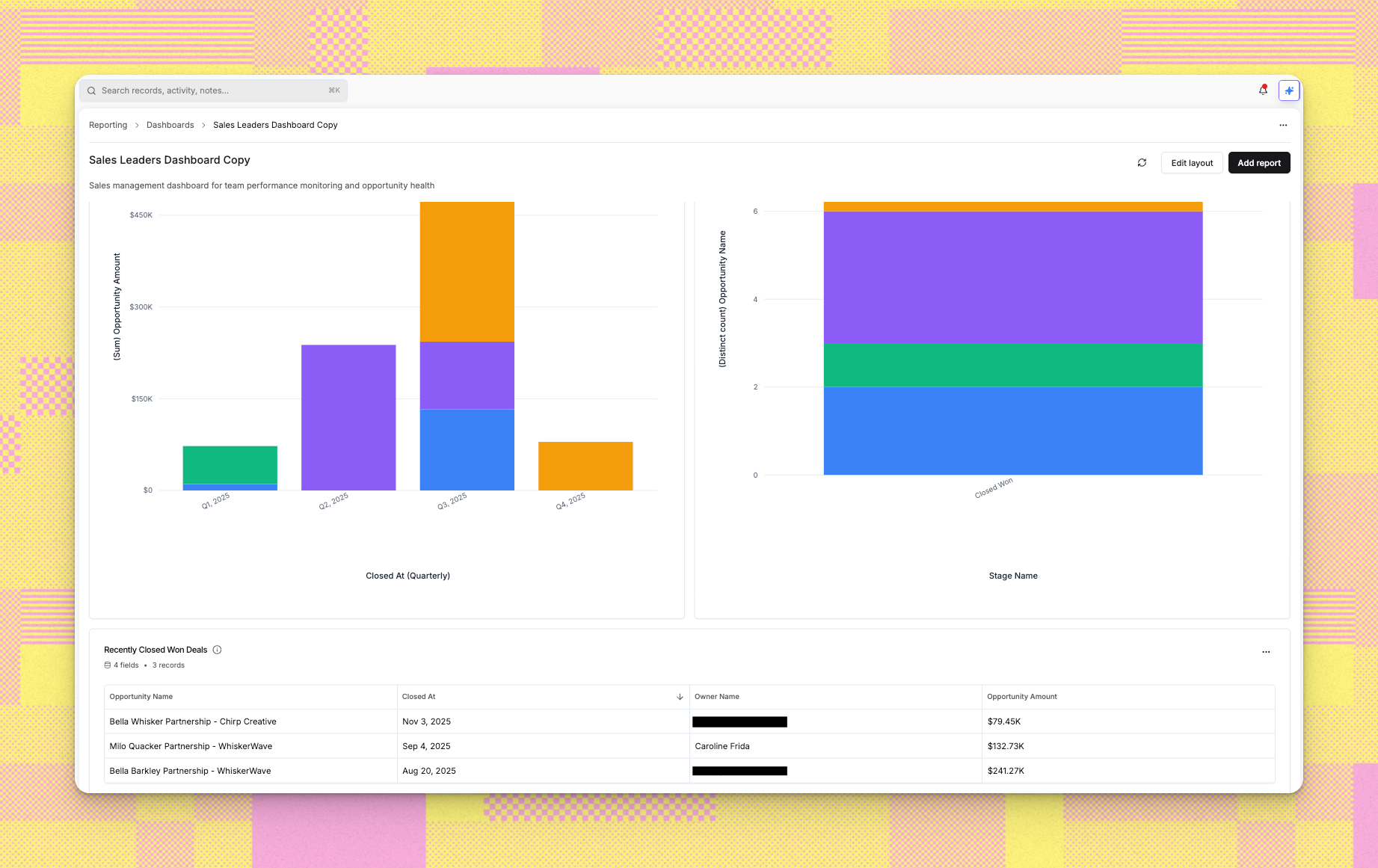
Dashboards bring together multiple reports into a single view, giving you a comprehensive picture of performance, trends, or any business area you want to monitor. Instead of viewing reports individually, dashboards let you arrange related insights side by side.
Dashboards serve several purposes:
* Provide at-a-glance visibility into key metrics
* Group related reports for specific roles (sales managers, executives, operations)
* Create focused views for different business processes (pipeline management, customer success)
* Share consistent data views across teams
You can create dashboards in two ways: from scratch (starting with an empty canvas) or from a template (using pre-configured dashboard layouts).
 # Step-by-Step Instructions
### **1. Starting Dashboard Creation**
1. Navigate to **Reporting** and select the **Dashboards** tab
2. Click **Create Dashboard** or the plus icon
3. A wizard appears showing two options:
* Create from scratch
* Create from template
**Option 1: Creating from Scratch**
1. In the template selection screen, click the blank tile to create from scratch
2. The configuration screen appears
3. Enter your **Dashboard name** in the provided field
4. Optionally add a **Description** explaining what the dashboard tracks
5. You'll see: "Your dashboard will be created empty. You can add widgets, reports, and customize the layout after creation."
6. Click **Create dashboard** to proceed
7. The system creates an empty dashboard that you can populate with reports
**Option 2: Creating from Template**
1. Browse the available dashboard templates in the selection screen
2. Each template shows:
* Dashboard name and description
* Number of included reports
* Creator and last update date
* Target audience information
3. Click a template card to select it
4. The configuration screen appears with your selected template details
### **2. Configuring Your Template-Based Dashboard**
1. The left side shows template information including its reports
2. Review "Who is this dashboard for?" to confirm the template matches your needs
3. On the right side, enter your **Dashboard name**
4. The system suggests a name like "\[Template Name] Copy" but you can change it
5. Review the **Reports** section showing all reports from the template
6. Each report has a checkbox allowing you to include or exclude it
7. Use **Select all** or **Deselect all** to quickly manage selections
8. Click the information icon next to any report to see its description
9. At the bottom, you'll see: "This dashboard will include X of Y reports from the template. You can customize them after the dashboard is created."
10. Click **Create dashboard** when ready
### **3. Navigation During Creation**
While in the wizard:
* Click **Back** to return to template selection without losing your work
* The wizard keeps your previous selections if you go back and forth
* Click **Cancel** or close the dialog to abandon dashboard creation
* The **Create dashboard** button shows "Creating..." with a loading indicator during processing
### **4. After Creation**
1. The system processes your dashboard and redirects you to the dashboard view
2. If created from scratch, you'll see an empty layout ready for reports
3. If created from template, your selected reports appear in the dashboard layout
4. You can now customize the dashboard by:
* Adding more reports
* Removing reports
* Rearranging report positions
* Resizing report widgets
* Editing dashboard settings
# Troubleshooting/FAQ
Yes, dashboards are fully editable after creation. You can add new reports, remove existing ones, and rearrange the layout at any time.
Templates give you a pre-configured dashboard with relevant reports already included. Starting from scratch gives you an empty canvas to build exactly what you want. Templates save time, while scratch gives you complete control.
You can edit the reports themselves by navigating to the individual report pages. Changes to reports automatically reflect in any dashboards containing those reports.
Dashboard access follows Reevo's permission system. Users with reporting access can view dashboards shared with them. Check with your administrator about specific sharing settings.
The dashboard will show an error for that report widget. Remove the broken widget from your dashboard and replace it with a different report if needed.
Yes, you can create an empty dashboard and add reports later. This is useful when you're planning a dashboard structure before the reports are ready.
No, once you create a dashboard from a template, it becomes independent. Changes to the template don't affect your dashboard. However, if the underlying reports change, those changes will reflect in your dashboard.
Currently, you can create a new dashboard from the same template, but direct dashboard duplication isn't available. Creating from template gives you similar functionality.
> Still have questions? [Sign in](https://reevo.ai/) and use AskReevo for instant answers or to raise a support ticket.
# Step-by-Step Instructions
### **1. Starting Dashboard Creation**
1. Navigate to **Reporting** and select the **Dashboards** tab
2. Click **Create Dashboard** or the plus icon
3. A wizard appears showing two options:
* Create from scratch
* Create from template
**Option 1: Creating from Scratch**
1. In the template selection screen, click the blank tile to create from scratch
2. The configuration screen appears
3. Enter your **Dashboard name** in the provided field
4. Optionally add a **Description** explaining what the dashboard tracks
5. You'll see: "Your dashboard will be created empty. You can add widgets, reports, and customize the layout after creation."
6. Click **Create dashboard** to proceed
7. The system creates an empty dashboard that you can populate with reports
**Option 2: Creating from Template**
1. Browse the available dashboard templates in the selection screen
2. Each template shows:
* Dashboard name and description
* Number of included reports
* Creator and last update date
* Target audience information
3. Click a template card to select it
4. The configuration screen appears with your selected template details
### **2. Configuring Your Template-Based Dashboard**
1. The left side shows template information including its reports
2. Review "Who is this dashboard for?" to confirm the template matches your needs
3. On the right side, enter your **Dashboard name**
4. The system suggests a name like "\[Template Name] Copy" but you can change it
5. Review the **Reports** section showing all reports from the template
6. Each report has a checkbox allowing you to include or exclude it
7. Use **Select all** or **Deselect all** to quickly manage selections
8. Click the information icon next to any report to see its description
9. At the bottom, you'll see: "This dashboard will include X of Y reports from the template. You can customize them after the dashboard is created."
10. Click **Create dashboard** when ready
### **3. Navigation During Creation**
While in the wizard:
* Click **Back** to return to template selection without losing your work
* The wizard keeps your previous selections if you go back and forth
* Click **Cancel** or close the dialog to abandon dashboard creation
* The **Create dashboard** button shows "Creating..." with a loading indicator during processing
### **4. After Creation**
1. The system processes your dashboard and redirects you to the dashboard view
2. If created from scratch, you'll see an empty layout ready for reports
3. If created from template, your selected reports appear in the dashboard layout
4. You can now customize the dashboard by:
* Adding more reports
* Removing reports
* Rearranging report positions
* Resizing report widgets
* Editing dashboard settings
# Troubleshooting/FAQ
Yes, dashboards are fully editable after creation. You can add new reports, remove existing ones, and rearrange the layout at any time.
Templates give you a pre-configured dashboard with relevant reports already included. Starting from scratch gives you an empty canvas to build exactly what you want. Templates save time, while scratch gives you complete control.
You can edit the reports themselves by navigating to the individual report pages. Changes to reports automatically reflect in any dashboards containing those reports.
Dashboard access follows Reevo's permission system. Users with reporting access can view dashboards shared with them. Check with your administrator about specific sharing settings.
The dashboard will show an error for that report widget. Remove the broken widget from your dashboard and replace it with a different report if needed.
Yes, you can create an empty dashboard and add reports later. This is useful when you're planning a dashboard structure before the reports are ready.
No, once you create a dashboard from a template, it becomes independent. Changes to the template don't affect your dashboard. However, if the underlying reports change, those changes will reflect in your dashboard.
Currently, you can create a new dashboard from the same template, but direct dashboard duplication isn't available. Creating from template gives you similar functionality.
> Still have questions? [Sign in](https://reevo.ai/) and use AskReevo for instant answers or to raise a support ticket.