> ## Documentation Index
> Fetch the complete documentation index at: https://help.reevo.ai/llms.txt
> Use this file to discover all available pages before exploring further.
# Usage
> Track how your organization is consuming Reevo's seats, dialer minutes, domains, enrichments, and mailboxes.
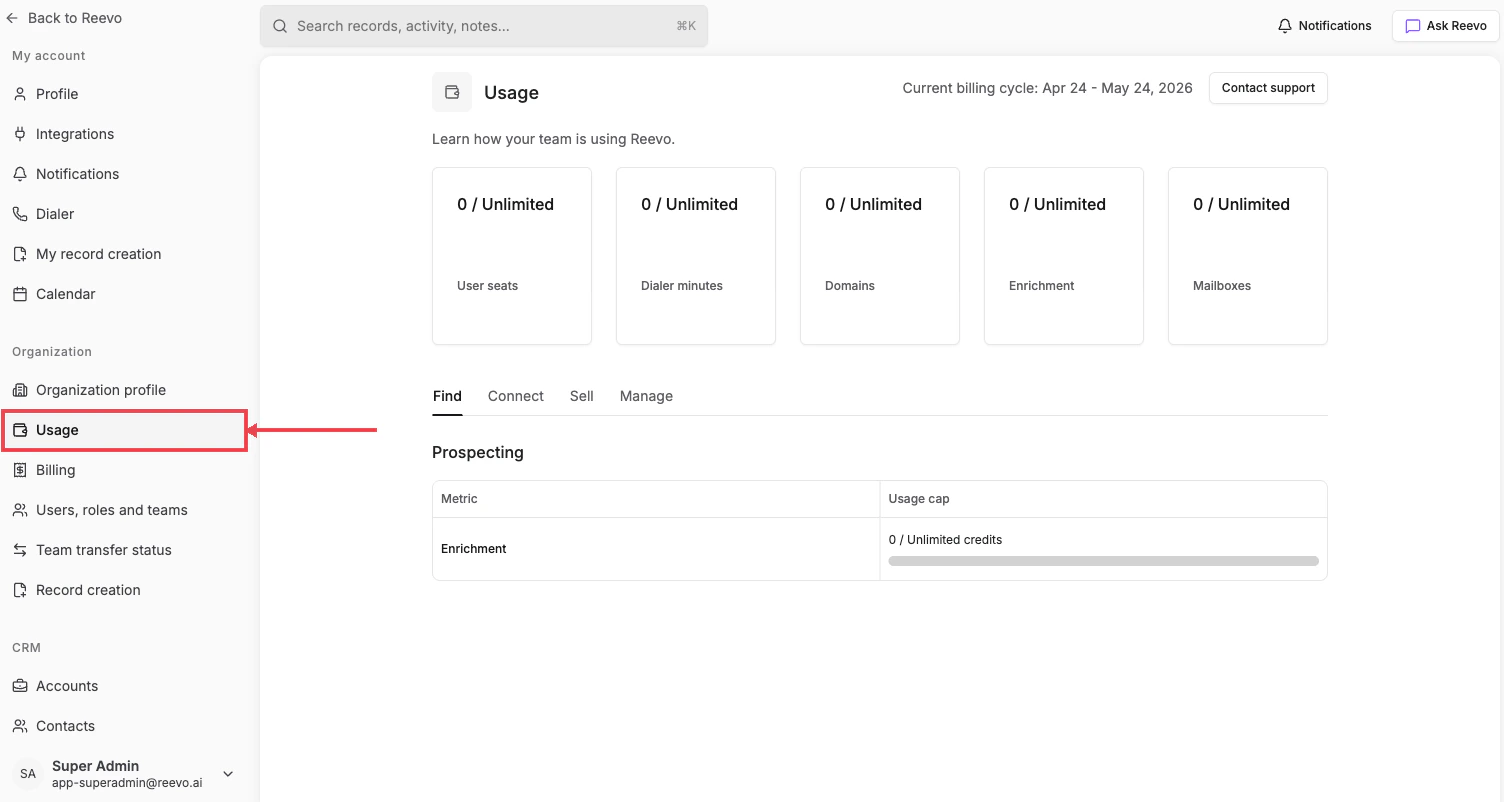
The Usage page gives admins a clear view of how your organization is using Reevo's available resources, scoped to the current billing cycle (shown in the page header).
# Where to Find It
**Settings → Organization → [Usage](https://app.reevo.ai/settings/usage)**
 # Headline metrics
The cards at the top of the page show your organization's consumption against plan limits:
* **User seats**: active user seats consumed.
* **Dialer minutes**: total outbound call minutes used this cycle.
* **Domains**: number of domains purchased through or connected to Reevo.
* **Enrichment**: contact and company enrichments consumed this cycle.
* **Mailboxes**: mailboxes purchased and in use.
# Detail tabs
Below the metric cards, four tabs break out per-feature usage:
* **Find**: Prospecting usage, including enrichment credit consumption.
* **Connect**: outreach-related metrics (mailboxes, send volume).
* **Sell**: meeting and dialer metrics.
* **Manage**: workspace, domain, and admin metrics.
Usage resets automatically at the start of each billing cycle. The current cycle range and your next billing date are shown at the top of the page.
#
> Still have questions? [Sign in](https://reevo.ai/) and use AskReevo for instant answers or to raise a support ticket.
# Headline metrics
The cards at the top of the page show your organization's consumption against plan limits:
* **User seats**: active user seats consumed.
* **Dialer minutes**: total outbound call minutes used this cycle.
* **Domains**: number of domains purchased through or connected to Reevo.
* **Enrichment**: contact and company enrichments consumed this cycle.
* **Mailboxes**: mailboxes purchased and in use.
# Detail tabs
Below the metric cards, four tabs break out per-feature usage:
* **Find**: Prospecting usage, including enrichment credit consumption.
* **Connect**: outreach-related metrics (mailboxes, send volume).
* **Sell**: meeting and dialer metrics.
* **Manage**: workspace, domain, and admin metrics.
Usage resets automatically at the start of each billing cycle. The current cycle range and your next billing date are shown at the top of the page.
#
> Still have questions? [Sign in](https://reevo.ai/) and use AskReevo for instant answers or to raise a support ticket.