> ## Documentation Index
> Fetch the complete documentation index at: https://help.reevo.ai/llms.txt
> Use this file to discover all available pages before exploring further.
# Connect a Tally Form to Reevo
> Send Tally form submissions to Reevo with a webhook, then map Tally question labels to your CRM.
Connect a Tally form to Reevo to create or update CRM records and run a Reevo workflow whenever someone submits the form.
***
## Before you start
You need a Tally form and an external form created in Reevo. Follow [Connecting an External Form to Reevo](/Prospecting-and-Outreach/Connecting-an-External-Form#create-the-external-form-in-reevo) to create it and copy its webhook URL.
Use clear, unique question labels in Tally. Reevo uses those labels as the source fields that you map to your CRM.
***
## Add the webhook URL in Tally
1. Publish your Tally form.
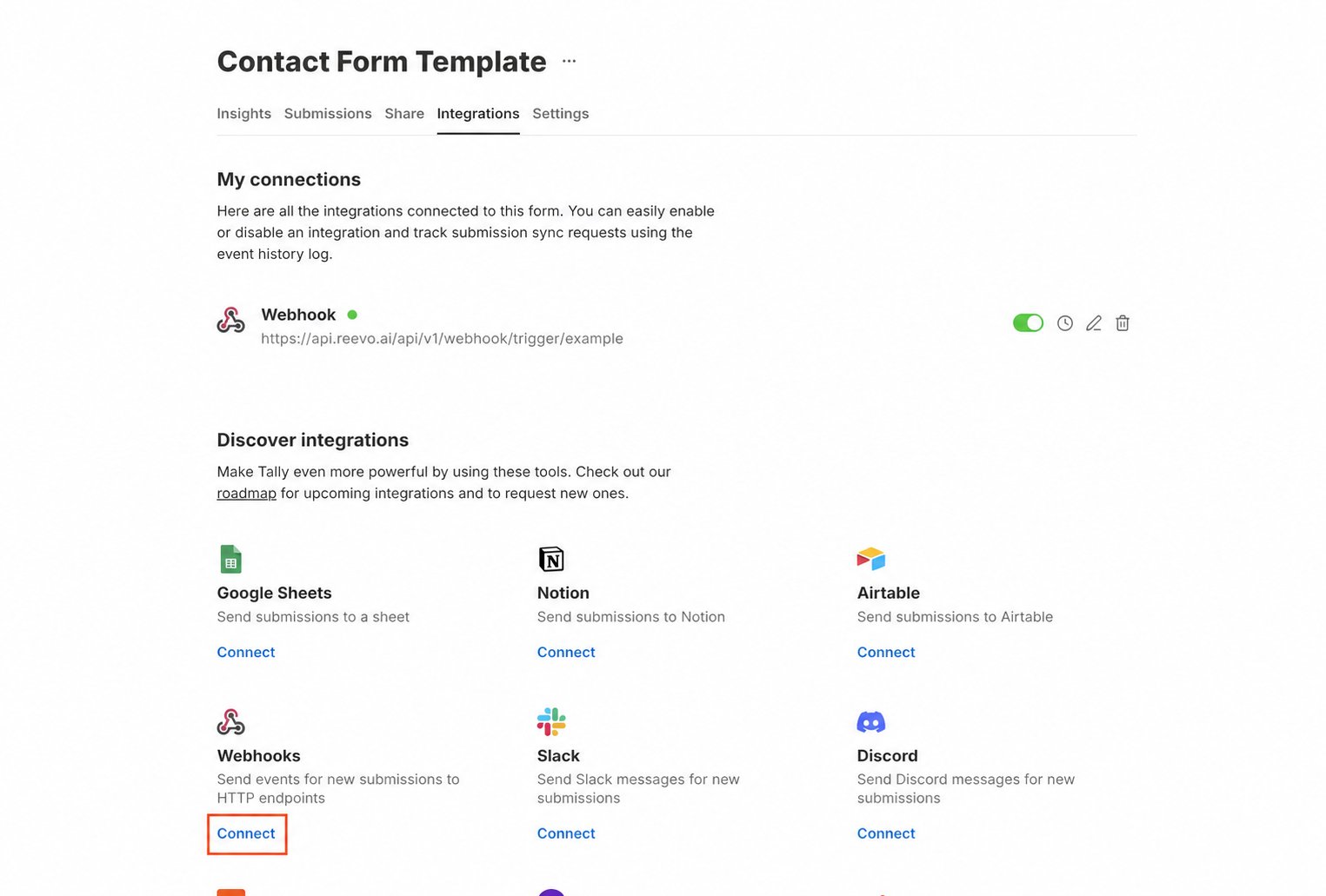
2. Open the form's **Integrations** tab.
3. Find **Webhooks** and click **Connect**.
4. Paste the webhook URL you copied from Reevo as the endpoint URL.
5. Save the webhook.
 ***
## Map and test the form in Reevo
1. Submit the published Tally form using recognizable test values.
2. Return to the external form builder in Reevo and click **Populate from submission**.
3. Select the Tally test submission.
4. Map each Tally question label to its Contact or Account field.
5. Configure the connected workflow, then click **Launch**.
6. Submit the Tally form again and confirm the submission and workflow appear in Reevo.
If you change a question label after mapping it, send another test submission and update the corresponding source field in Reevo.
***
## Troubleshooting Tally
* **No submission appears in Reevo**: confirm that the form is published and that the saved endpoint exactly matches the URL from Reevo.
* **A question is missing**: make sure the test submission contains an answer for that question, then populate the payload schema again.
* **A mapping stops working after editing the form**: check whether the Tally question label changed, then remap the updated source field.
***
## Map and test the form in Reevo
1. Submit the published Tally form using recognizable test values.
2. Return to the external form builder in Reevo and click **Populate from submission**.
3. Select the Tally test submission.
4. Map each Tally question label to its Contact or Account field.
5. Configure the connected workflow, then click **Launch**.
6. Submit the Tally form again and confirm the submission and workflow appear in Reevo.
If you change a question label after mapping it, send another test submission and update the corresponding source field in Reevo.
***
## Troubleshooting Tally
* **No submission appears in Reevo**: confirm that the form is published and that the saved endpoint exactly matches the URL from Reevo.
* **A question is missing**: make sure the test submission contains an answer for that question, then populate the payload schema again.
* **A mapping stops working after editing the form**: check whether the Tally question label changed, then remap the updated source field.