Where to Find It
- Click your name in the lower-left corner of Reevo.
- Select Settings.
- You’ll land on your User Profile under My Account.
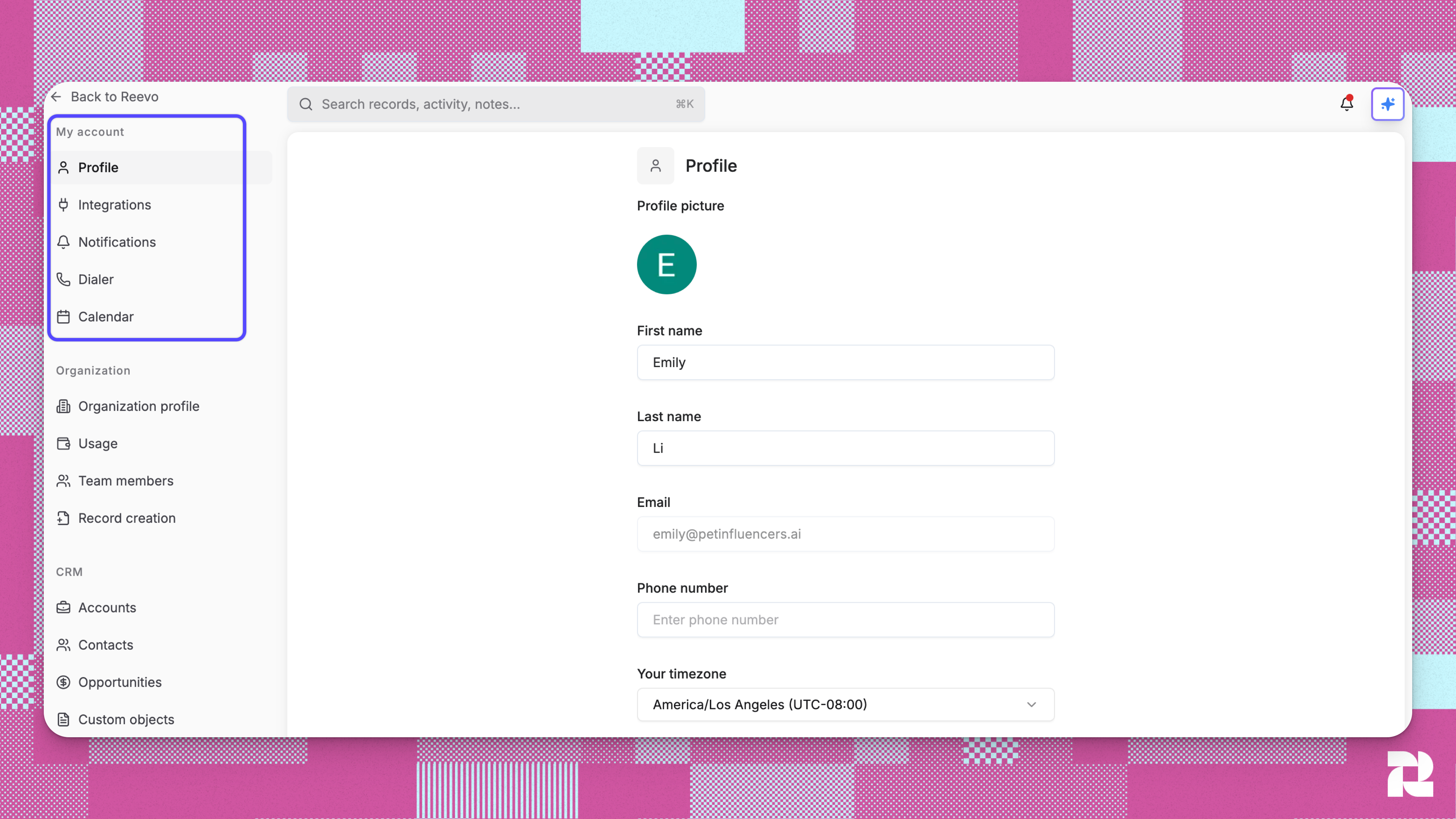
Account Settings Overview
Profile
Upload your photo, enter your name and phone number, and set your timezone.Integrations
Connect the tools you use every day:- Google — sync your email and calendar for activity capture
- Zoom — enable meeting recordings and summaries
- Slack — interact with the Ask Reevo AI agent and receive deal or meeting notifications
Notifications
Decide how and where you receive alerts for meetings, opportunities, and AI summaries.Dialer
Configure your phone number to make and log calls directly from Reevo.My Record Creation
This setting lets you override your organization’s default record creation rules for your individual account. If you disable record creation, Reevo will not automatically create new contacts or accounts from your emails or calendar events even if your organization’s global settings allow it. This is useful if you handle confidential communications or prefer to manage CRM records manually.Calendar
Connect your calendar to sync meetings, manage your availability, and automatically log relevant activity in Reevo.- Google Calendar: Enables meeting prep, insights, and CRM record creation from your scheduled events
- Auto-sync calendar events: When enabled, Reevo automatically tracks upcoming and past meetings tied to your contacts
- Default availability: Set your weekly schedule and timezone to use as the template for new meeting types and booking links
Troubleshooting / FAQs
Where do I find my individual settings versus organizational settings?
Where do I find my individual settings versus organizational settings?
Click your name in the lower-left corner and select Settings. Individual settings appear under My Account, while organizational settings (visible only to admins) appear under Organization.
Why can't I change certain settings?
Why can't I change certain settings?
Some settings are controlled at the organization level by your admin. For example, record creation rules and team permissions are managed centrally to maintain consistency across your company. Contact your admin if you need changes to organization-wide settings.
What happens if I disconnect an integration?
What happens if I disconnect an integration?
Disconnecting Google Workspace or Zoom stops automatic data capture and meeting recording for your account. Existing records and recordings remain in Reevo, but new activity won’t sync until you reconnect. Your teammates’ integrations continue working independently.
How does my timezone affect email sequences?
How does my timezone affect email sequences?
Email sequences use your timezone to determine when to send messages. If you schedule a sequence to send at 9:00 AM, it sends at 9:00 AM in your configured timezone. Update your timezone before traveling to ensure emails send at appropriate local times.
Can I have different settings than my teammates?
Can I have different settings than my teammates?
Yes, individual settings like timezone, display name, and connected integrations are personal to your account. However, organization-wide settings like record creation rules and team permissions apply to everyone