Prerequisites
- An admin role in Reevo.
- A form created with one of the supported providers.
- Any Contact or Account fields that you want to populate already created in Reevo.
External forms remain hosted by your form provider. Reevo receives their submissions and runs the connected workflow, but it does not control the form’s design or hosting.
Create the external form in Reevo
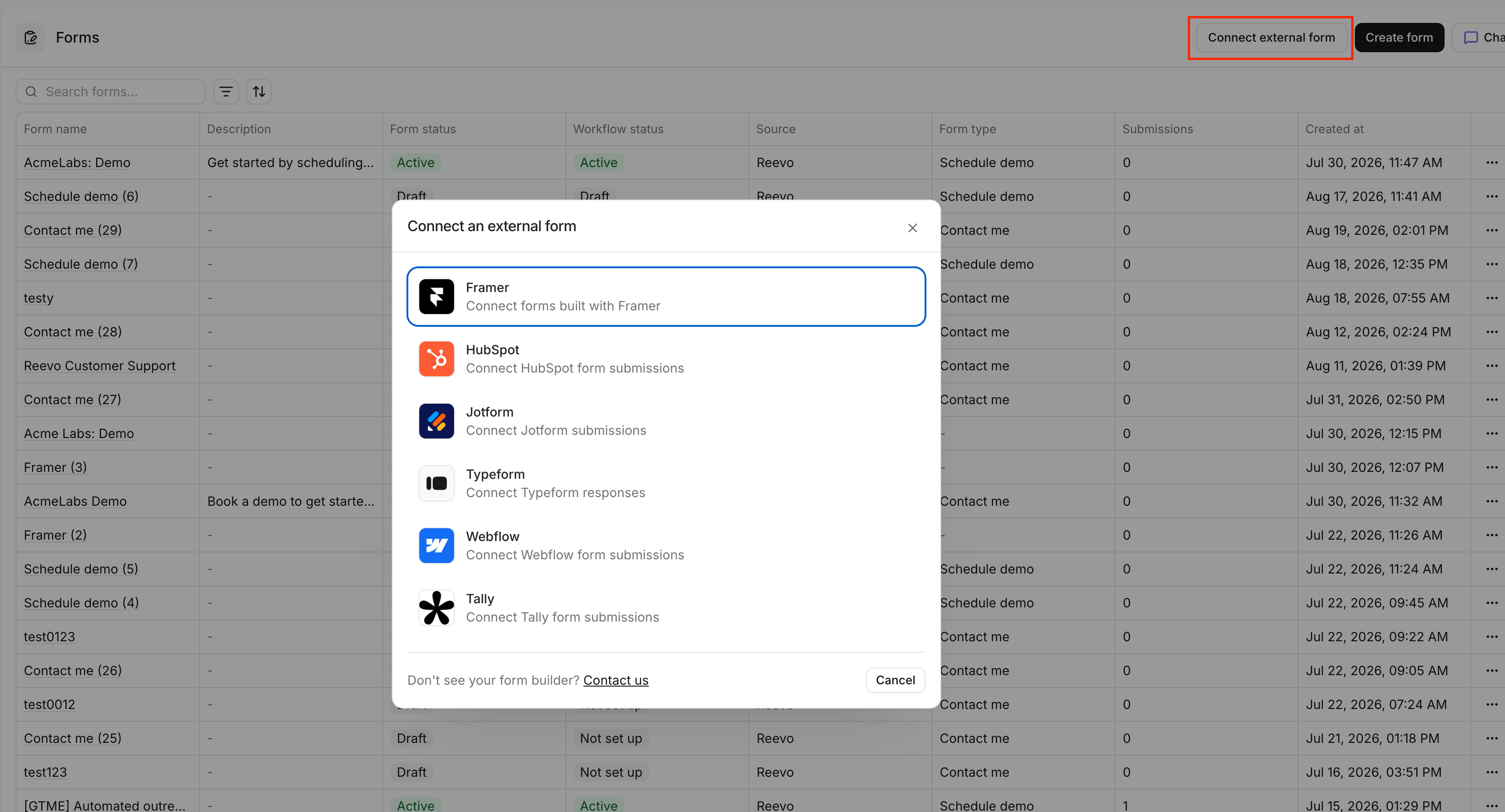
- Open Forms under Find & connect in the sidebar.
- Click Set up external form.
- Select your form provider.
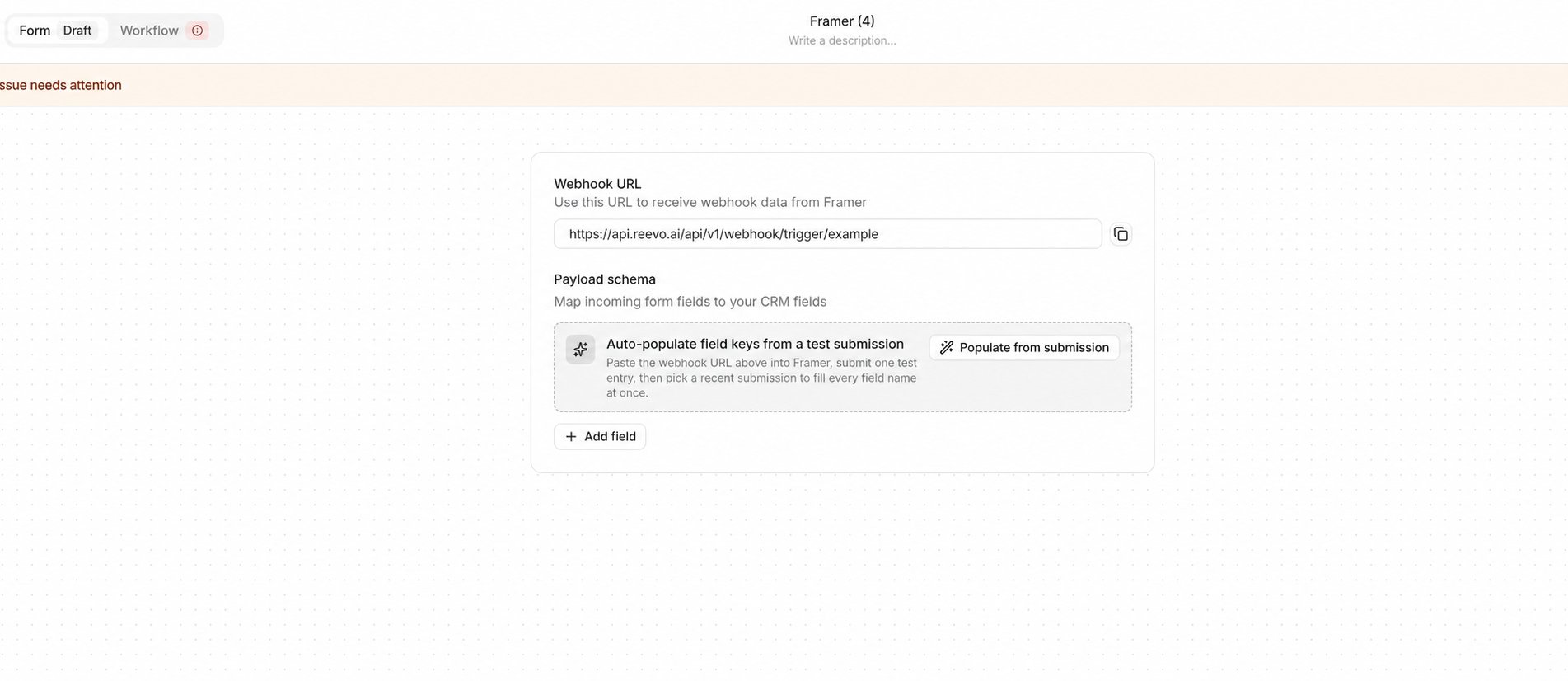
- Enter a name for the form, then click Create.
- Copy the webhook URL shown in the form builder. You will add this URL to your form provider in the next section.
Connect your form provider
Choose your provider for instructions on adding the webhook URL, identifying incoming field names, and sending a test submission.Map incoming fields to your CRM
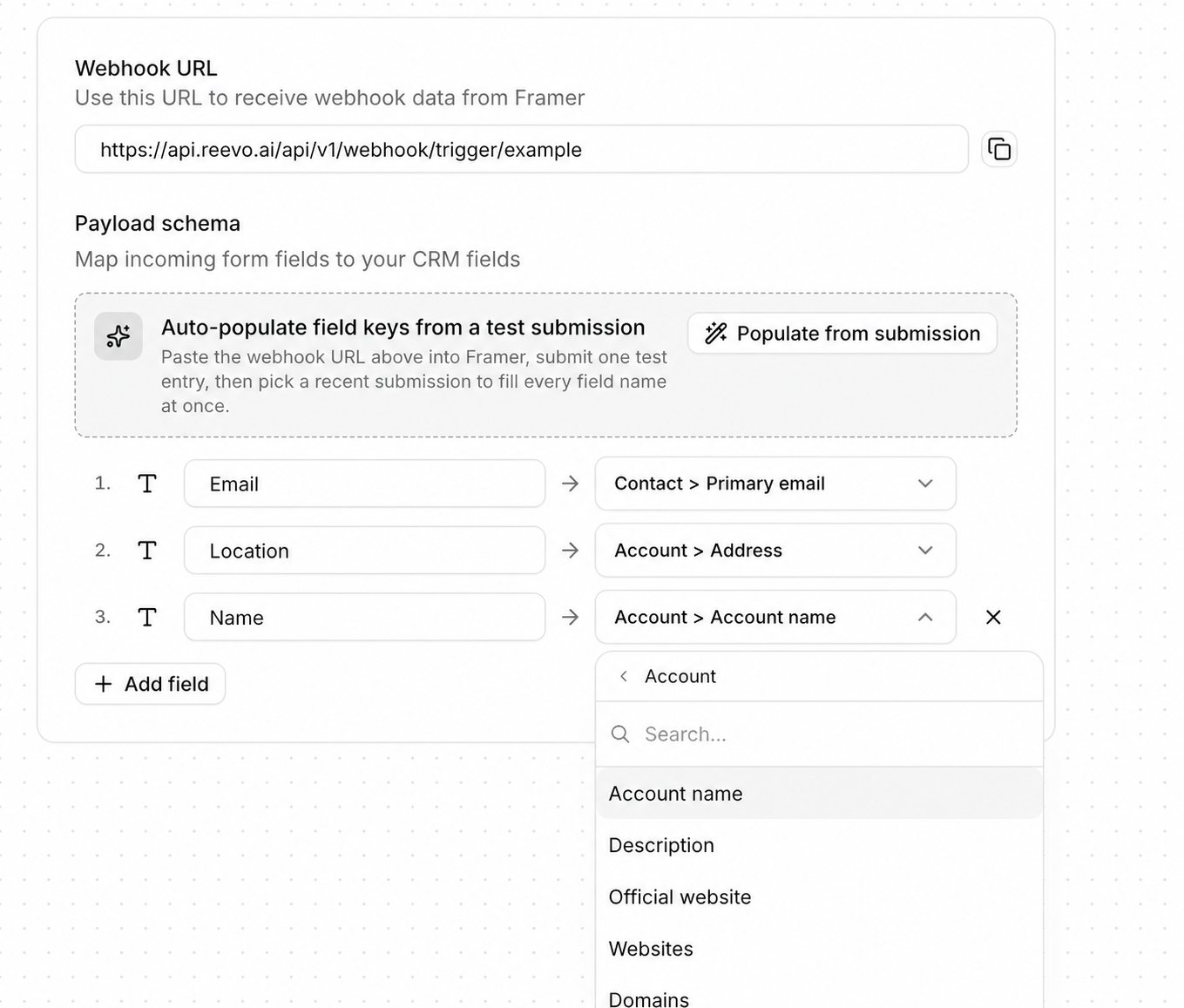
If you have not sent a test submission yet, submit the published external form using recognizable test values. Then return to the external form builder in Reevo.- Click Populate from submission.
- Select the test submission you sent from your provider.
- Review the incoming fields that Reevo adds to the payload schema.
- For each source field, select Contact or Account, then choose the CRM field that should receive the value.
- For dropdown or select-list fields, map each incoming source value to the corresponding Reevo value.
Configure the workflow and launch
- Open the Workflow tab in the Reevo form builder.
- Configure what should happen after a submission, such as creating records, assigning an owner, sending a notification, or enrolling the contact in a sequence.
- Resolve any validation issues shown in the builder.
- Click Launch to activate the form and its workflow.
For more information about form workflows and available actions, see Building Inbound Lead Forms.
Test the connection
- Submit the published external form using recognizable test values.
- Open the form in Reevo and select the Submissions tab.
- Confirm that the test submission appears with the expected field values.
- Open the submission and confirm that the linked workflow ran successfully.
Troubleshooting
Still have questions? Sign in and use Ask Reevo for help or to raise a support ticket.