Before you start
You need a Jotform form and an external form created in Reevo. Follow Connecting an External Form to Reevo to create it and copy its webhook URL.Configure the webhook in Jotform
- Open your form and go to Settings, then Workflows.
- Create a workflow from scratch or open the workflow connected to your form.
- Add a Webhook element and open its settings.
- Select an HTTP request and set the method to
POST. - Paste the webhook URL you copied from Reevo.
- Turn on the request body.
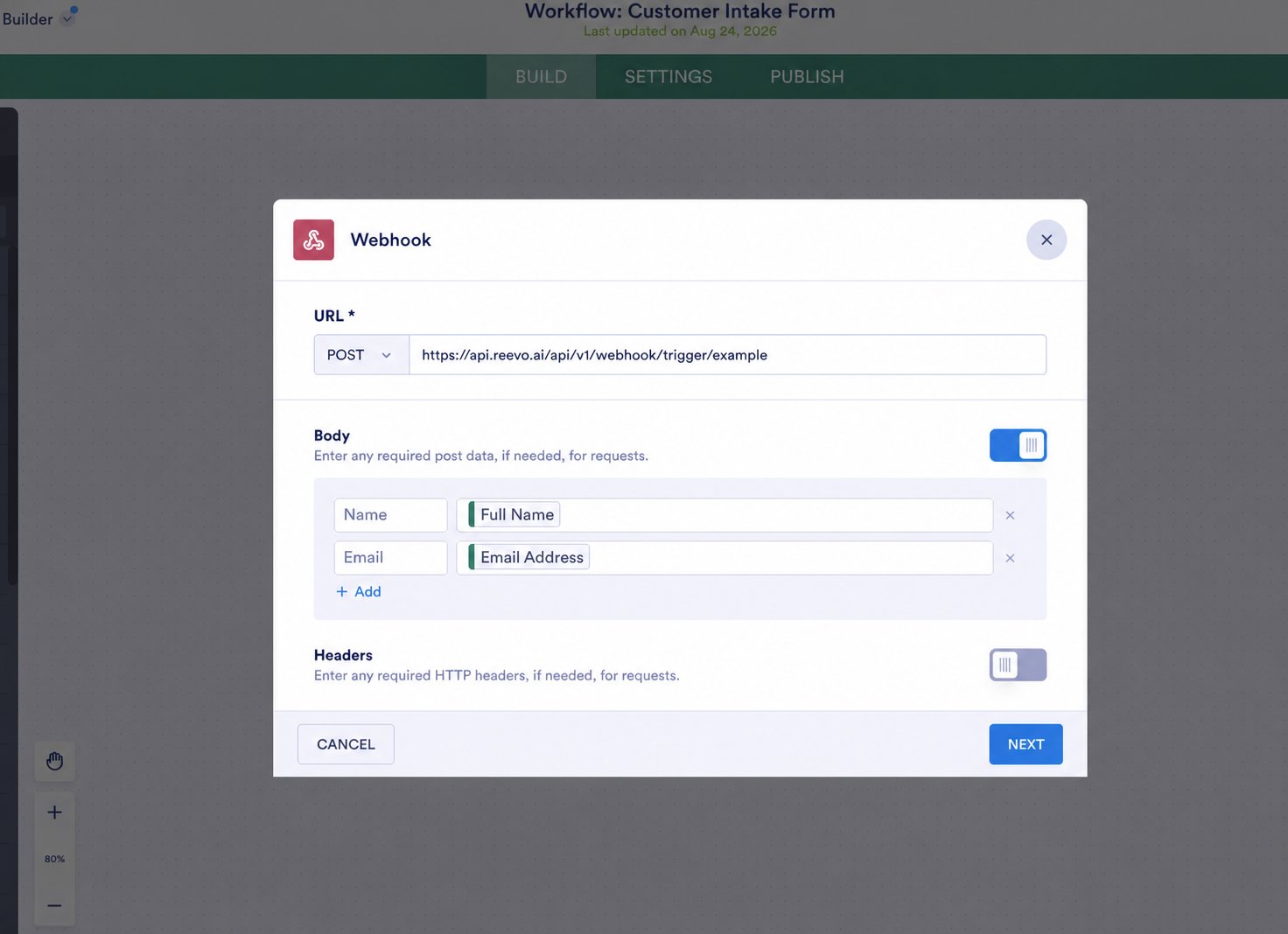
Define the fields to send
Jotform lets you define the request-body keys that Reevo receives.- Add a clear, unique key for each value that you want to send.
- Connect each key to the corresponding Jotform field.
- Save the webhook and workflow configuration.
- Submit the form using recognizable test values.
Map and test the form in Reevo
- Return to the external form builder in Reevo and click Populate from submission.
- Select the Jotform test submission.
- Map each request-body key to its Contact or Account field.
- Configure the connected workflow, then click Launch.
- Submit the Jotform form again and confirm the submission and workflow appear in Reevo.
For the complete mapping and workflow steps, see Connecting an External Form to Reevo.
Troubleshooting Jotform
- No submission appears in Reevo: confirm that the request uses
POST, the workflow is saved, and the URL exactly matches the one from Reevo. - A field is missing: confirm that its request-body key is connected to a Jotform field and that the test submission contains a value.
- An unexpected key appears: review the custom request body in the webhook element, then send another test submission.