What you can do
How teams use LinkedIn with Reevo
AE prepping for a call
AE prepping for a call
- Open their profile and check their activity with Use the Chrome extension on LinkedIn.
- Add them or fill in missing details from the same panel.
- Turn on Open LinkedIn profiles while you call so the profile opens when the call connects.
Sales leader building a multichannel sequence
Sales leader building a multichannel sequence
- Add the LinkedIn steps with Add LinkedIn steps to a sequence.
- Decide what happens after each LinkedIn task in Set LinkedIn outcomes.
- Share Work your LinkedIn tasks with your reps.
- Watch completion in Track LinkedIn step results.
Rep calling with context
Rep calling with context
- Call from a profile with Use the Chrome extension on LinkedIn.
- Calling from Reevo instead? Turn on Open LinkedIn profiles while you call.
Admin rolling out LinkedIn to the team
Admin rolling out LinkedIn to the team
- Check reps’ roles in Access Controls, so they can create contacts and accounts, edit sequences, and build workflows.
- Set up matching on LinkedIn URL with Keep LinkedIn data clean.
- Share Use the Chrome extension on LinkedIn with your reps.
Manager automating follow-up
Manager automating follow-up
- Build the workflow with Automate follow-up with workflows.
- Check the results in Track LinkedIn step results.
Hands-free LinkedIn outreach (Beta)
Hands-free LinkedIn outreach (Beta)
- Connect your LinkedIn account.
- Review what protects your account in Safety limits.
- Add the steps with Automated LinkedIn steps.
Full relationship history (Beta)
Full relationship history (Beta)
- Connect your LinkedIn account.
- Turn on sync and reply from Reevo with Read and reply to LinkedIn conversations.
Acting fast on LinkedIn engagement (Beta)
Acting fast on LinkedIn engagement (Beta)
- Connect your LinkedIn account.
- Build the workflow with Start workflows from LinkedIn activity.
Personalized outreach at scale (Beta)
Personalized outreach at scale (Beta)
- Connect your LinkedIn account.
- Turn on Personalize with AI in Automated LinkedIn steps.
Get set up
Before you start
- Google Chrome with the Reevo extension, if you want to work from LinkedIn.
- A LinkedIn account signed in on the same browser.
- Sales Navigator, only for bulk adding from searches and lead lists.
- A LinkedIn plan with InMail credits, only if you plan to send InMail.
- Enrichment credits, only if you plan to find emails and phone numbers.
- A LinkedIn URL on your contacts. LinkedIn tasks, the dialer setting, and duplicate checks all use it.
- A phone number set up in Reevo, if you plan to make calls. See Dialer.
- The right role. To add records, edit sequences, or build workflows, your role needs that access. An admin can change it in Access Controls.
Connect your LinkedIn account
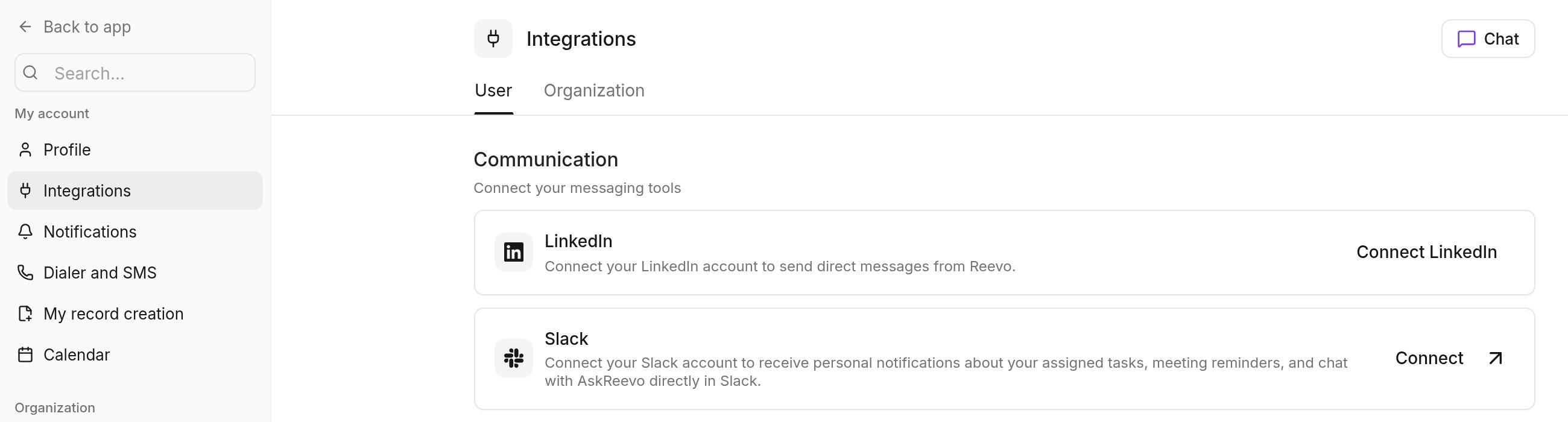
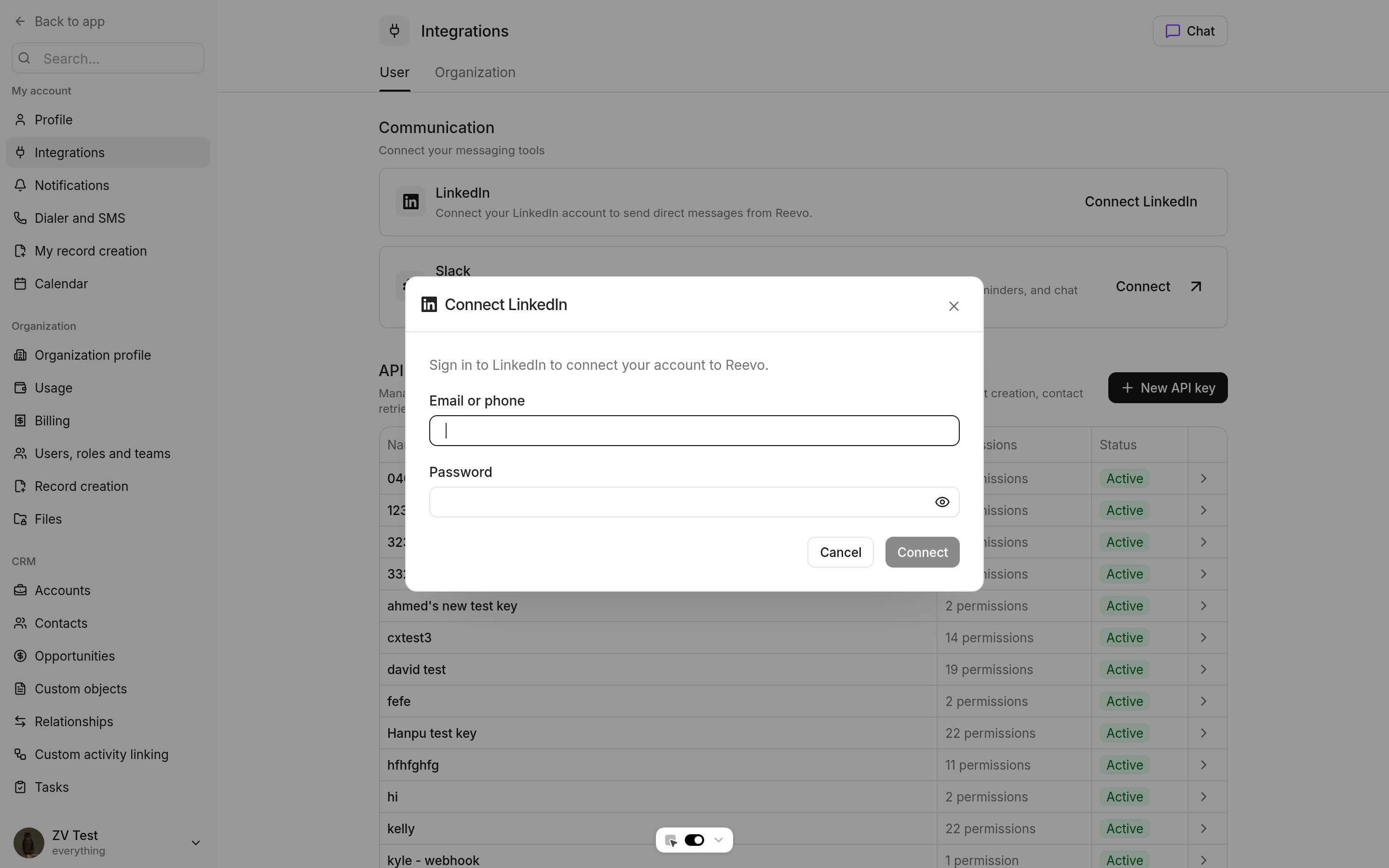
Connect your own LinkedIn account so you can send and reply on LinkedIn without leaving Reevo. Each user connects their own account, so there’s nothing for an admin to set up once the beta is on for your workspace.Open the LinkedIn card
Sign in
Verify if asked
Safety limits
When you send from a connected account, Reevo caps what each LinkedIn account sends, to keep it in good standing with LinkedIn.Find and add prospects
Use the Chrome extension on LinkedIn
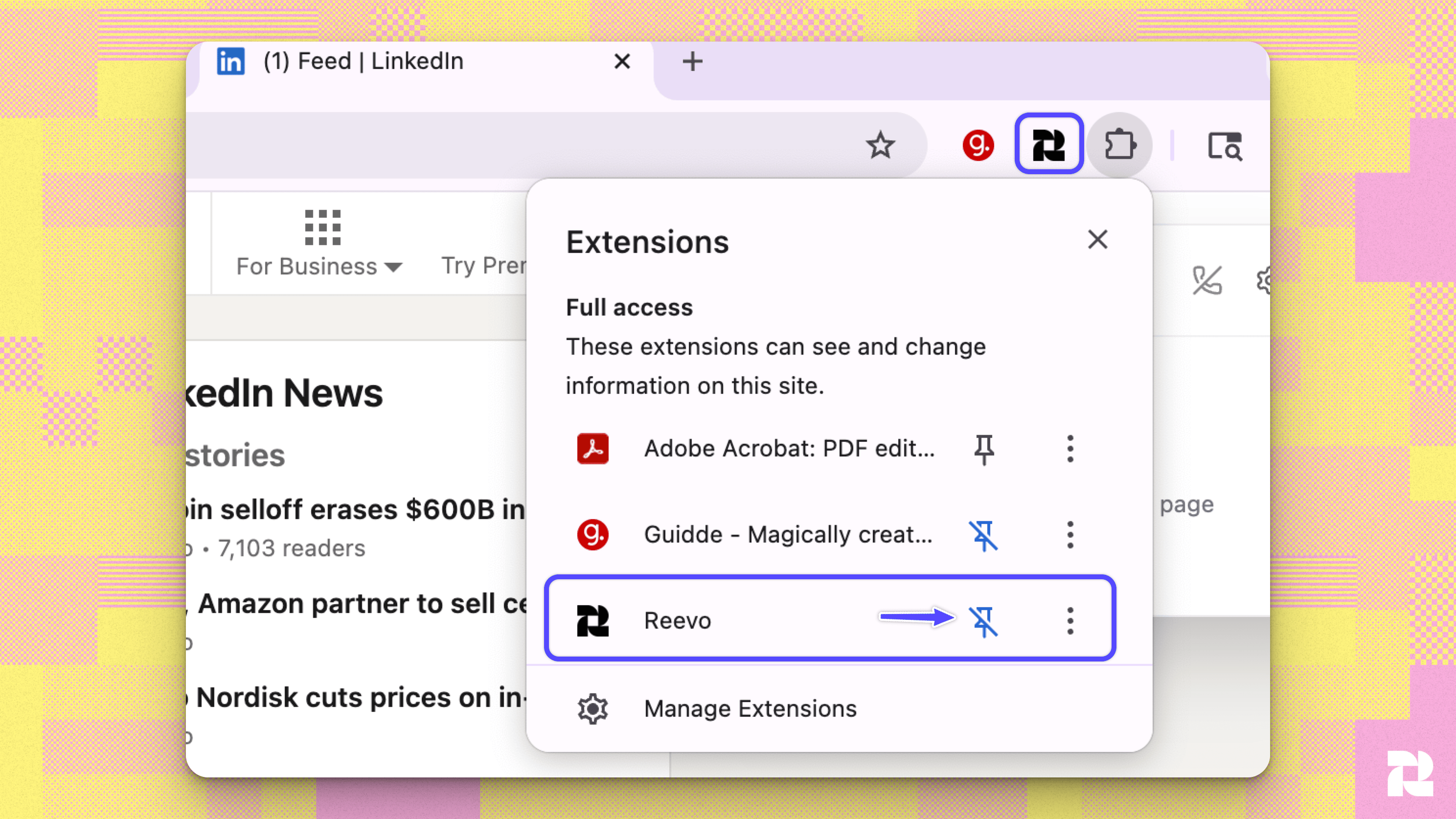
The extension adds a Reevo panel next to LinkedIn, so you never have to copy a profile into your CRM by hand. To add people and companies, your role needs to be able to create contacts and accounts. Anyone can find emails and phone numbers using your workspace’s enrichment credits, and an admin can buy more if they run out.Install the extension
Open LinkedIn
Optional: open the panel automatically
- Add them to Reevo. Click Add to Reevo to create the contact with their name, title, company, and LinkedIn URL. If their company isn’t in Reevo yet, Reevo creates the account and links it.
- Avoid duplicates. Reevo warns you if the person may already be in your CRM.
- Find their email and phone. Enrichment uses your workspace’s enrichment credits. Emails show a check result, such as Email verified or High risk of bouncing.
- Call or email. Once the person is in Reevo, click their phone number to call or their email address to write an email.
- Add them to a list or sequence. Use Add to list or Add to sequence without leaving LinkedIn.
- See what’s already happening. For people already in Reevo, the panel shows recent activity, meetings, and sequence enrollments.
- See the company’s key details, then add it as an account or open the existing one.
- Click Prospect in Reevo to start a prospecting search for people at that company.
- Turn on Show Reevo on company websites in the extension’s settings to see the same panel on the company’s own site.
Bulk add from Sales Navigator
Turn a Sales Navigator search into CRM records without opening each profile. As with single adds, your role needs to be able to create contacts and accounts.Run your search
Open the extension
Load every row
Pick who to add
Add them
Similar companies
On a company page, the extension can suggest similar companies to help you build a target account list.Reach out
Reach out from a contact
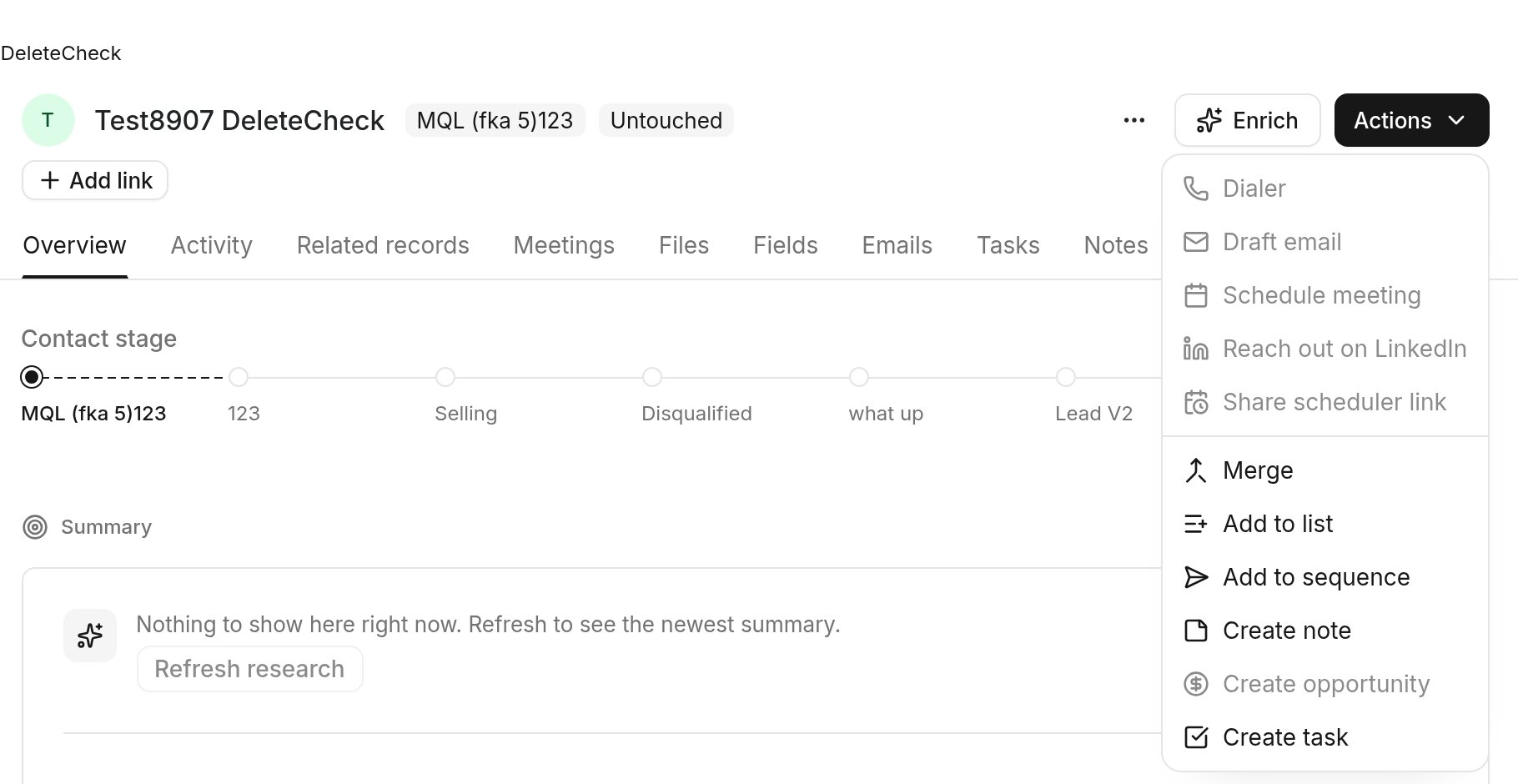
On a contact record, click Reach out on LinkedIn, then choose:- Invite to connect, with an optional note of up to 200 characters.
- Send message, for people you’re already connected with.
- Send InMail, which uses one InMail credit.
Write LinkedIn messages with Ask Reevo
Ask Reevo can draft a connection note or follow-up message tailored to a contact’s title and company. See AskReevo Skills for example prompts.Send from Ask Reevo
With a connected account, Ask Reevo can also:- Check which of your contacts you’re already connected with on LinkedIn.
- Send a connection request or a message.
- Withdraw a pending connection request.
Sequences and tasks
Add LinkedIn steps to a sequence
LinkedIn task steps create a task for the contact’s owner to send a connection request, a message, or an InMail on LinkedIn. Reevo writes the message for each contact from your template. The rep sends it. Anyone who can edit the sequence can add these steps. Use it for:- Connecting with a prospect after your first email, so you show up in two places.
- Following up on LinkedIn with prospects who haven’t opened your emails.
- Reaching decision makers you’re not connected with yet, through InMail.
Open the sequence
Add a step
Choose a LinkedIn task
Write the message
Add rep context
Save the step
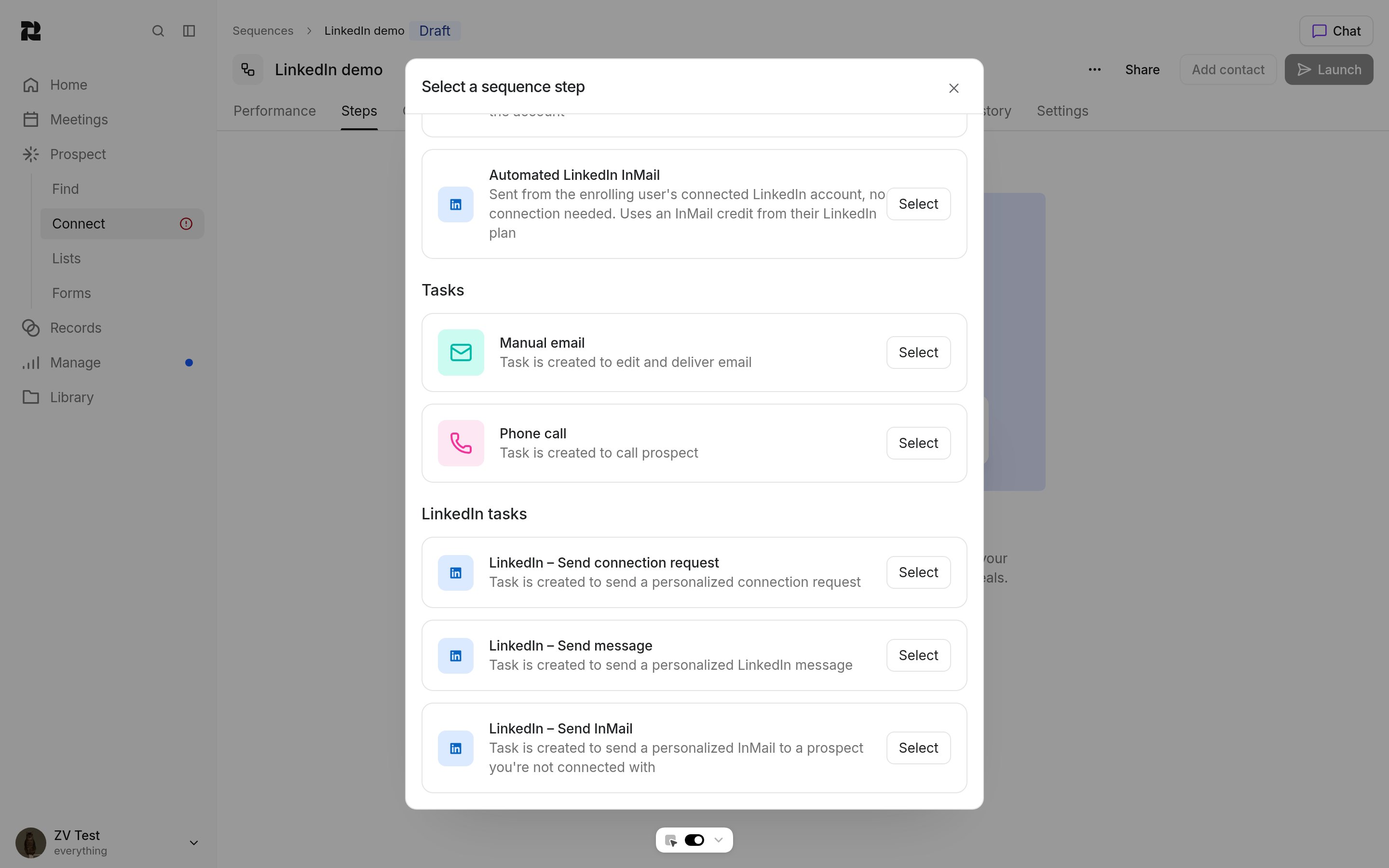
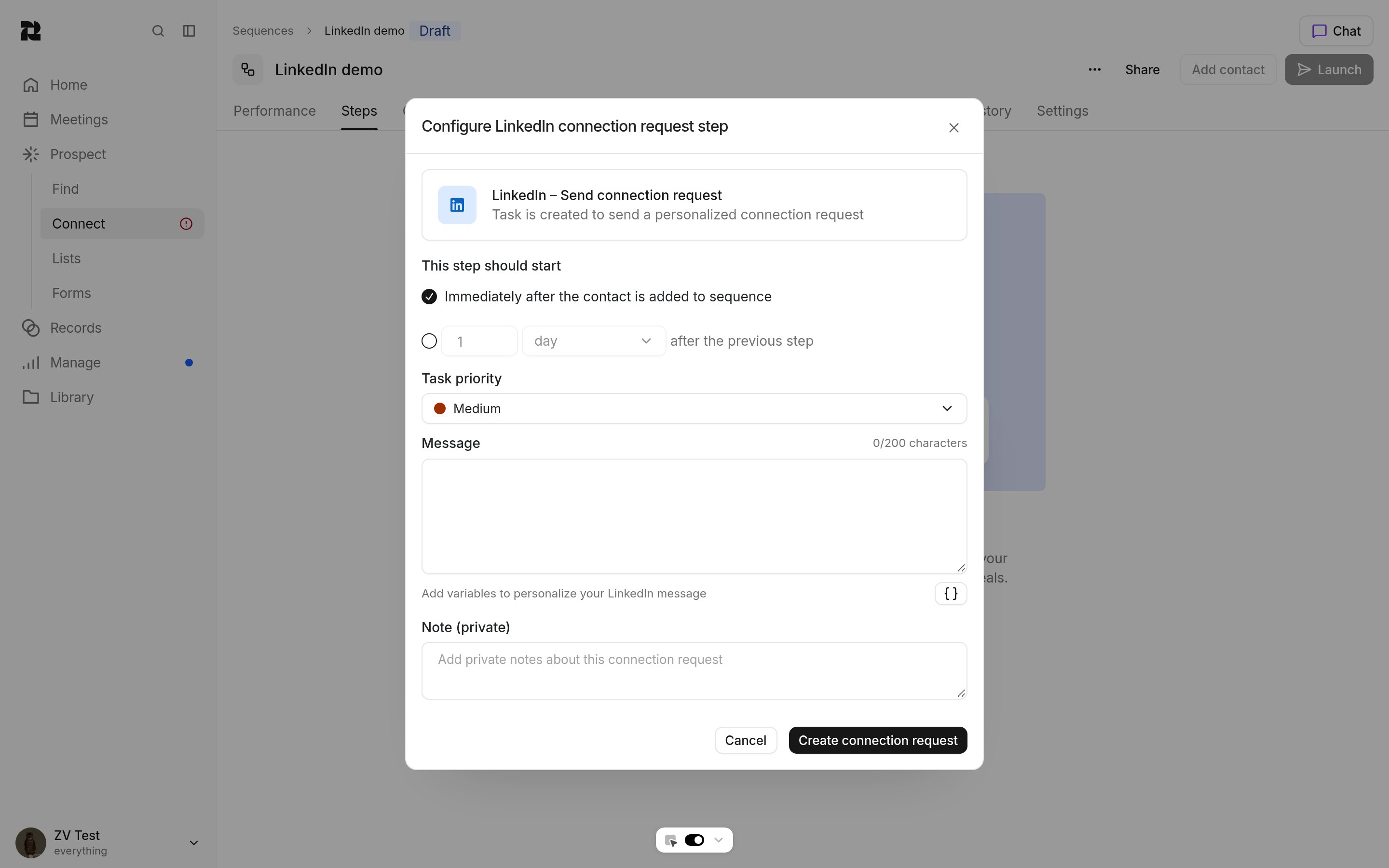
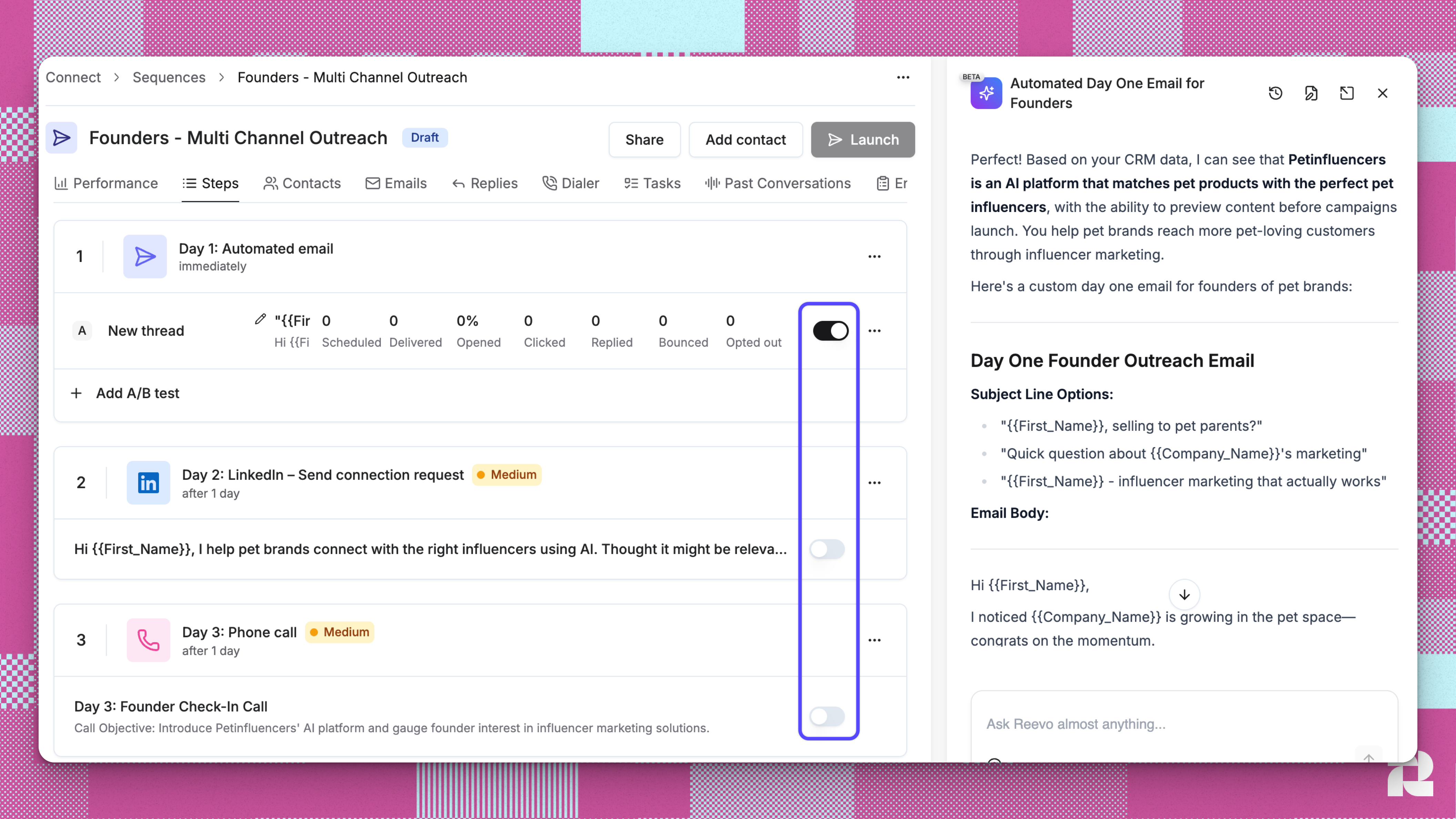
Automated LinkedIn steps
The Automatic group in Select a sequence step adds steps that send for you: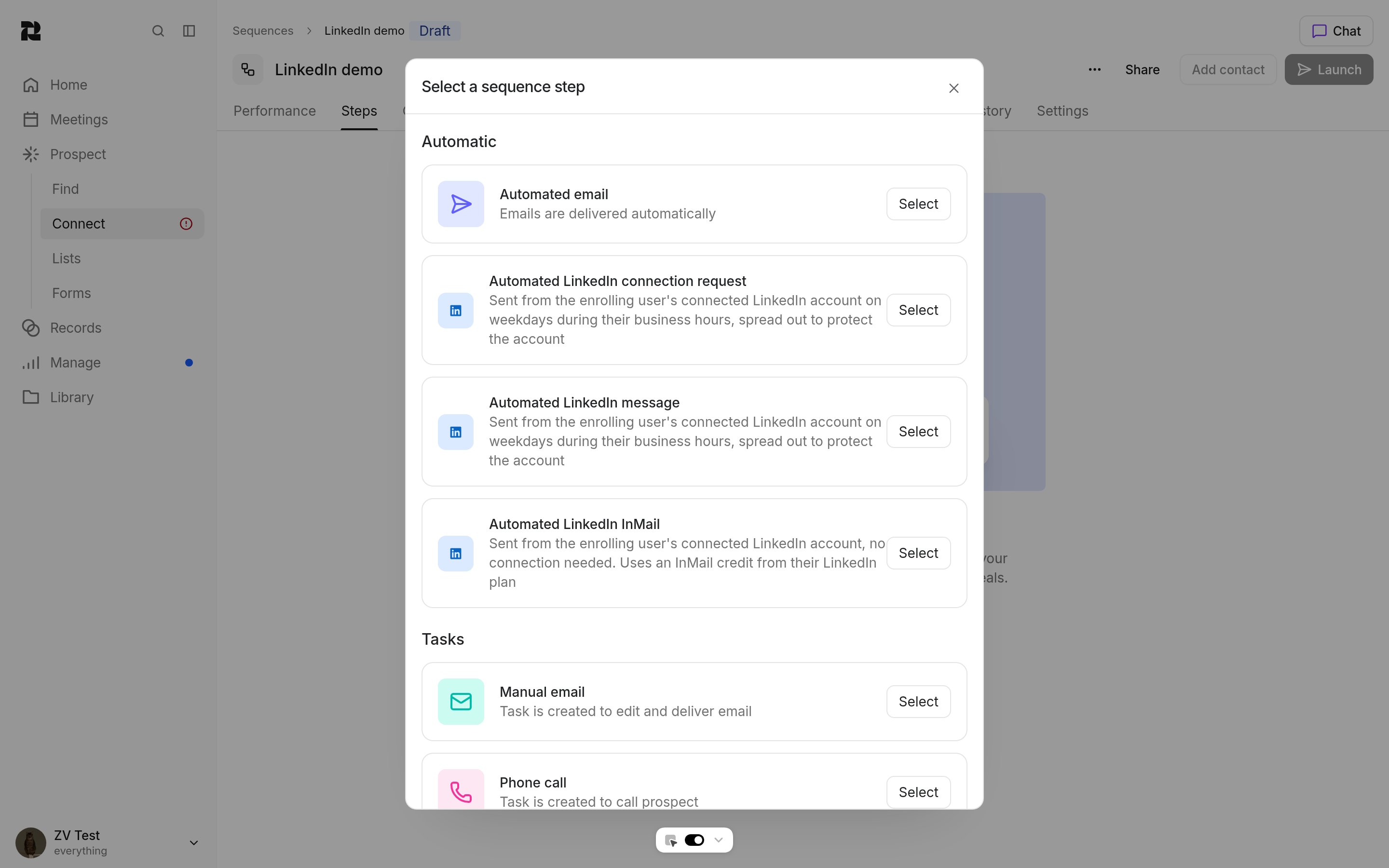
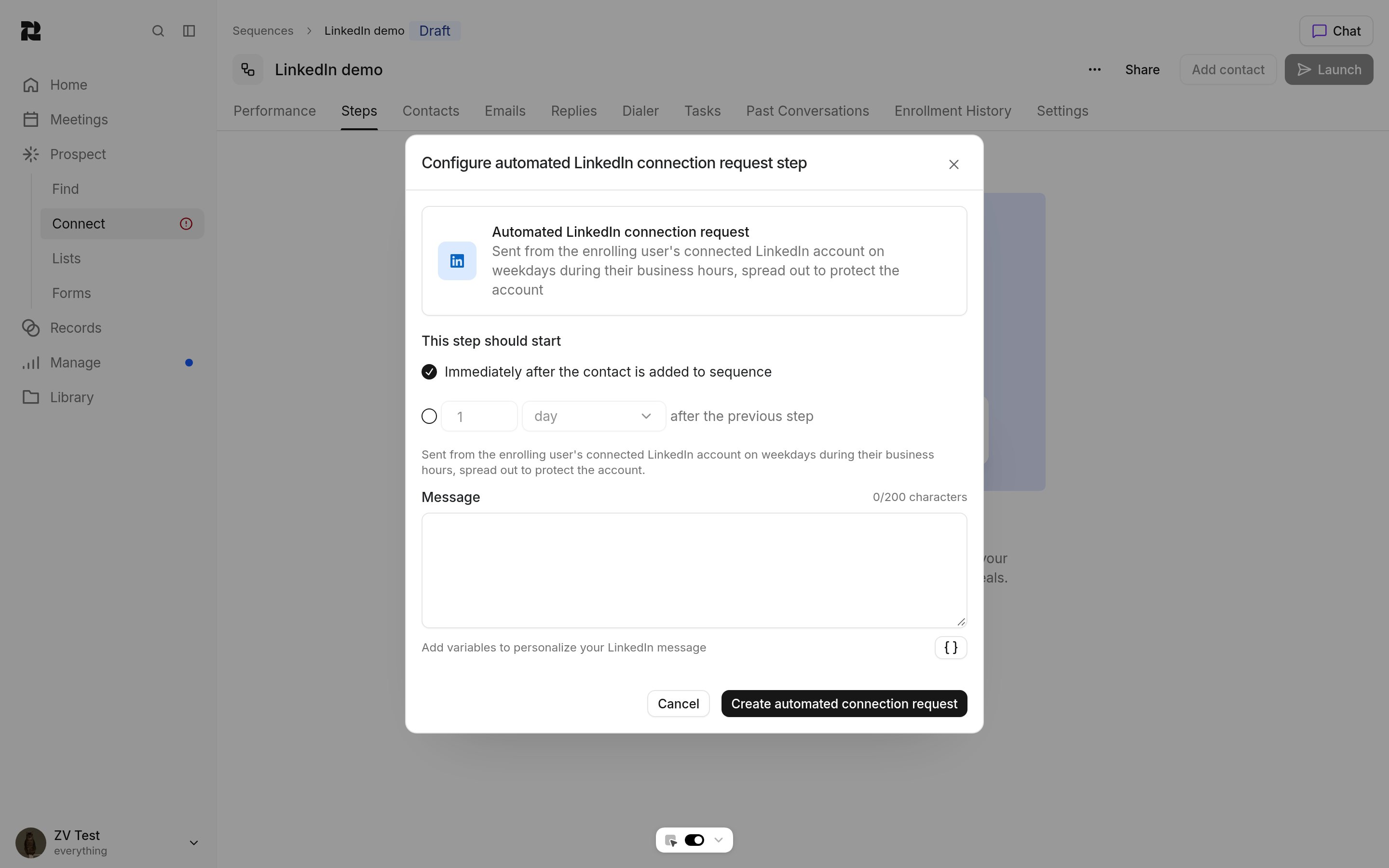
- Steps send from the enrolling user’s connected LinkedIn account.
- Admins can choose any teammate’s connected account with Send LinkedIn steps from when they enroll contacts. Other users can only pick their own.
- Reevo sends only on weekdays between 8 AM and 6 PM in the sender’s time zone, and spaces sends out.
- A message step waits up to 21 days for the contact to accept your connection request.
- When a contact replies on LinkedIn, they leave the sequence, just like an email reply.
- Sends count toward your safety limits.
Work your LinkedIn tasks
When a contact reaches a LinkedIn task step, the task appears in the owner’s task list with everything they need to send it.Open the task
Copy the message
Send it on LinkedIn
Mark it done
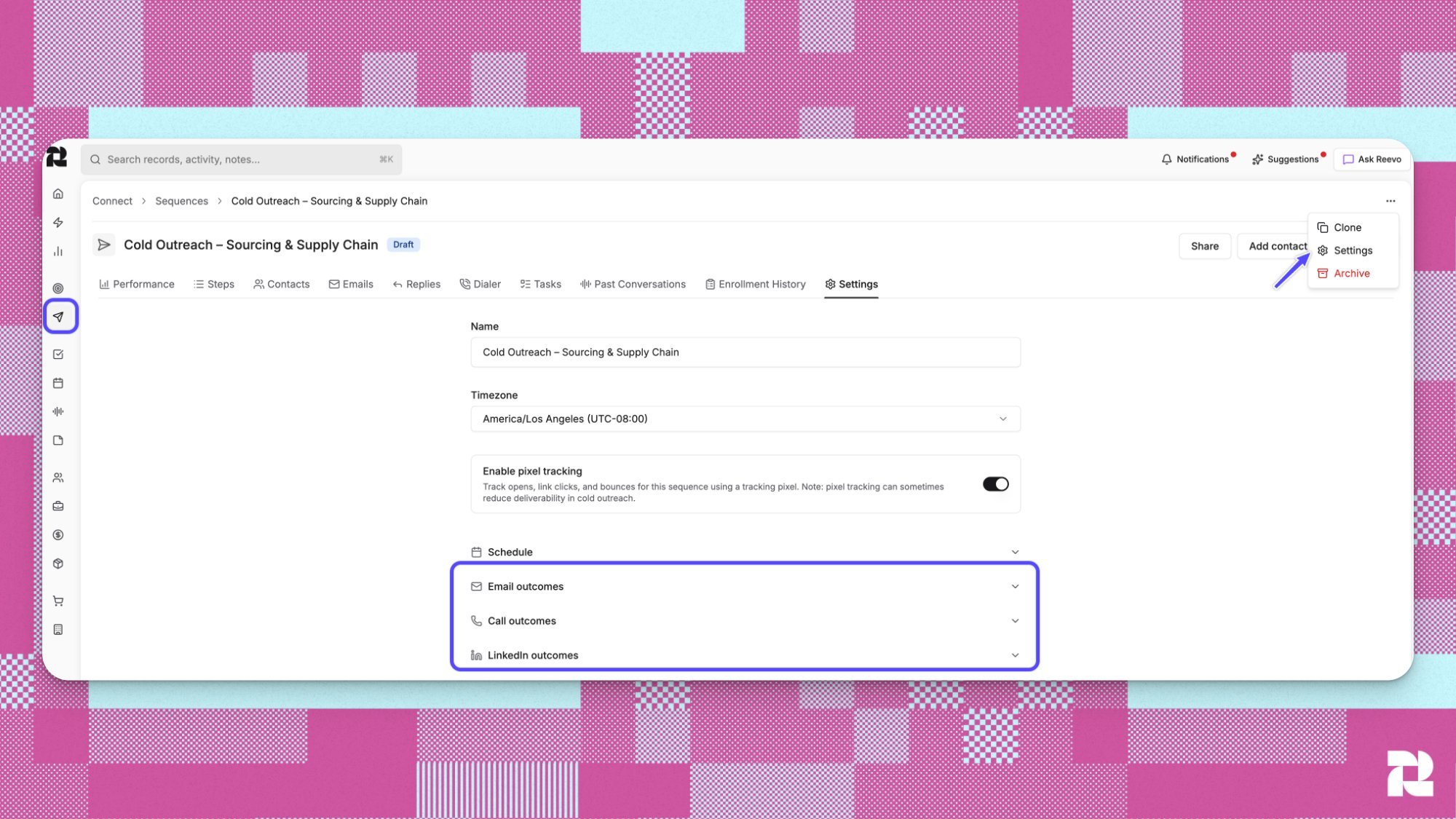
Set LinkedIn outcomes
In the sequence’s Settings tab, expand LinkedIn outcomes. Contacts with missing LinkedIn profile sets what happens when a contact with no LinkedIn URL reaches a LinkedIn step:- Pause contact (the default)
- Skip step
- Exit sequence
- Continue to next step (the default)
- Pause contact
- Stop contact
Track LinkedIn step results
Open the sequence’s Performance tab. The LinkedIn table shows Total tasks, Open tasks, and Closed tasks for each LinkedIn step, so you can spot steps your team isn’t getting to.Conversations and calls
Read and reply to LinkedIn conversations
With LinkedIn sync on, these appear on the contact’s timeline:- Messages you send and receive, including InMails.
- Connection requests sent, received, and accepted.
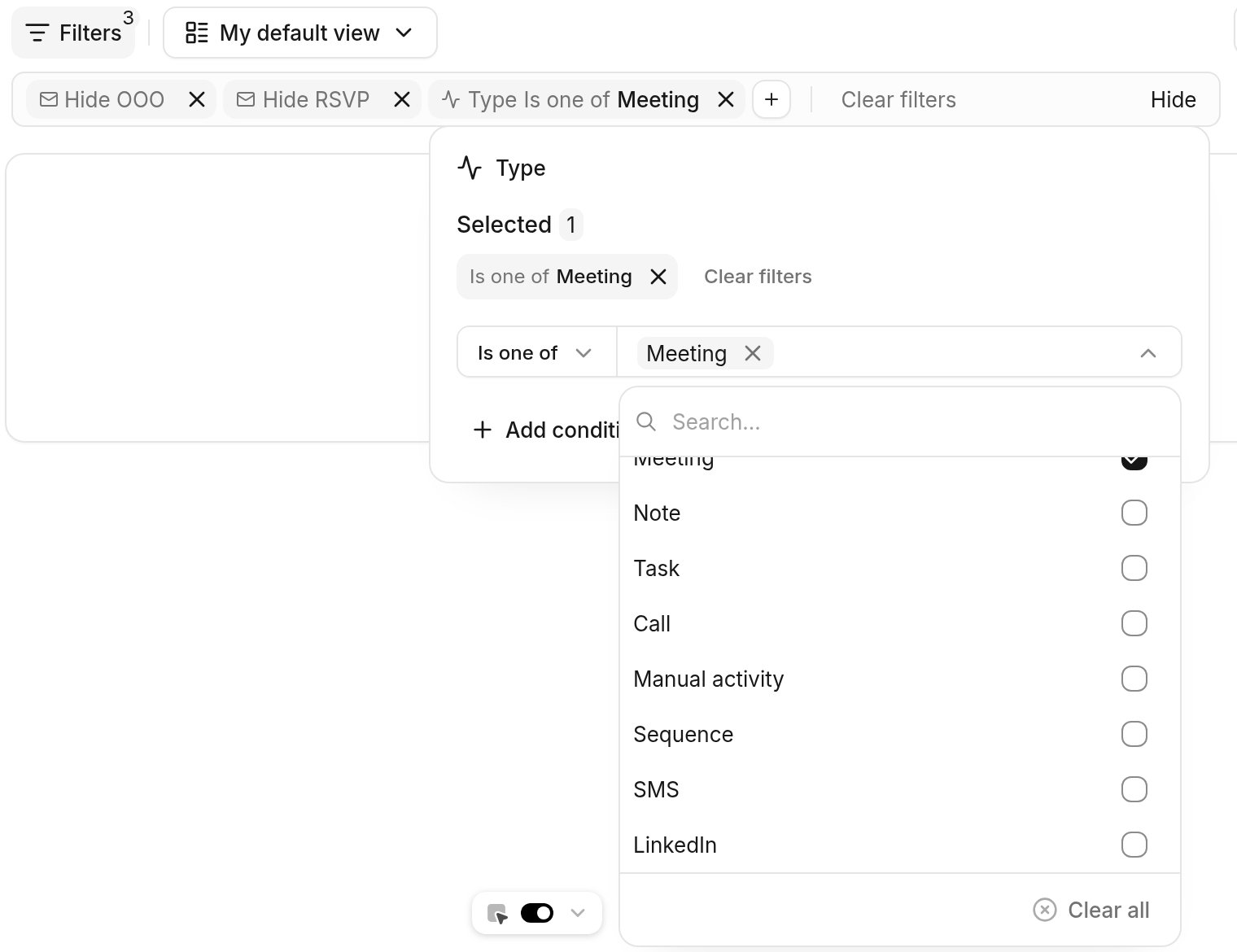
Open LinkedIn profiles while you call
The dialer can open the contact’s LinkedIn profile in a new tab as soon as a call connects, so you can see their role and background while you talk. Each rep turns this on for themselves.Open the dialer
Turn on the setting

Workflows and data
Automate follow-up with workflows
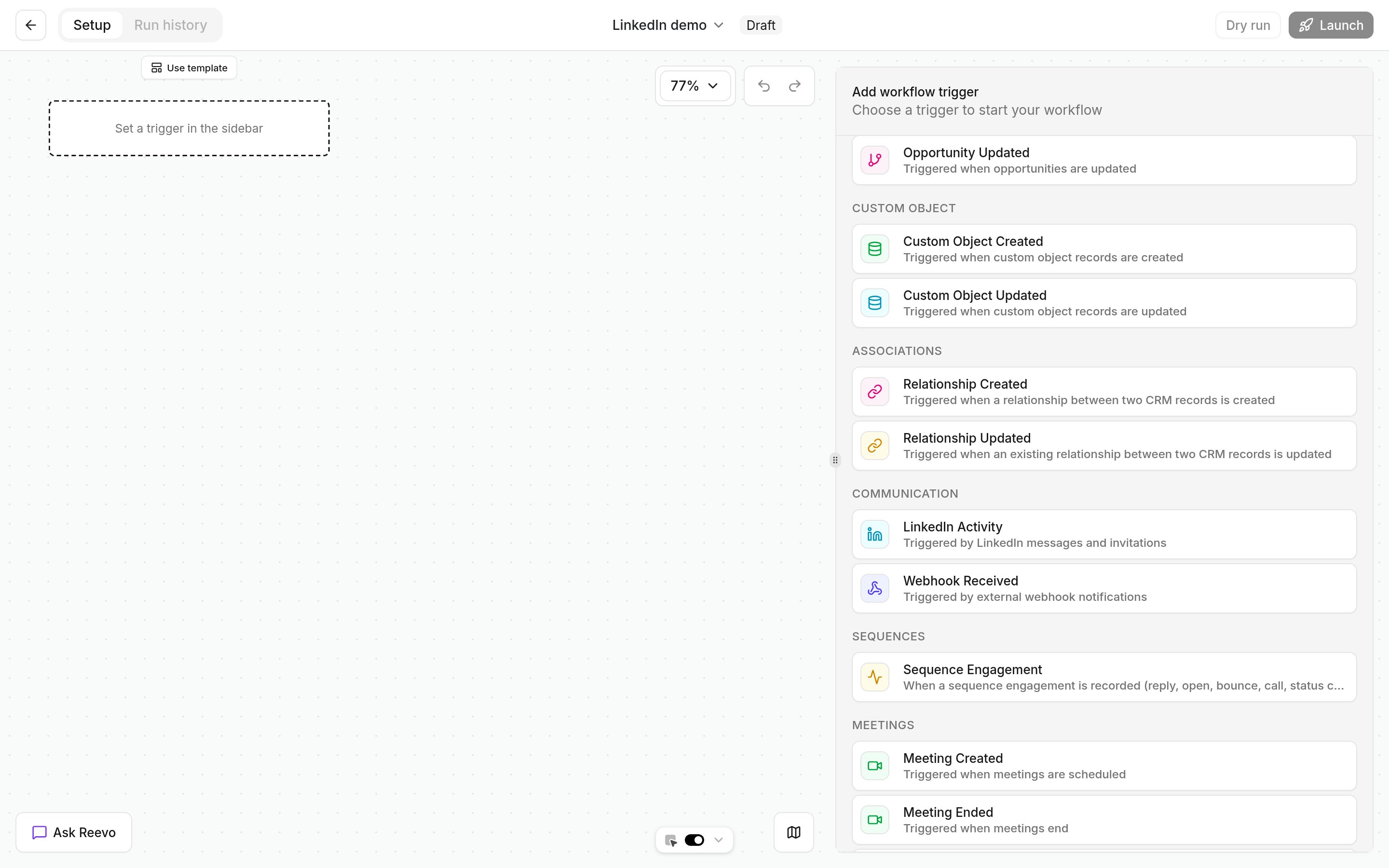
If your role can create workflows, use the Sequence Engagement trigger with the Sequence LinkedIn event to run a workflow whenever a rep completes a LinkedIn task in a sequence. For example, create a follow-up call task two days later, or notify the account owner. See Workflow Triggers. If your team runs sequences in Outreach, Reevo records Outreach LinkedIn steps on the contact’s timeline too. See Outreach.Start workflows from LinkedIn activity
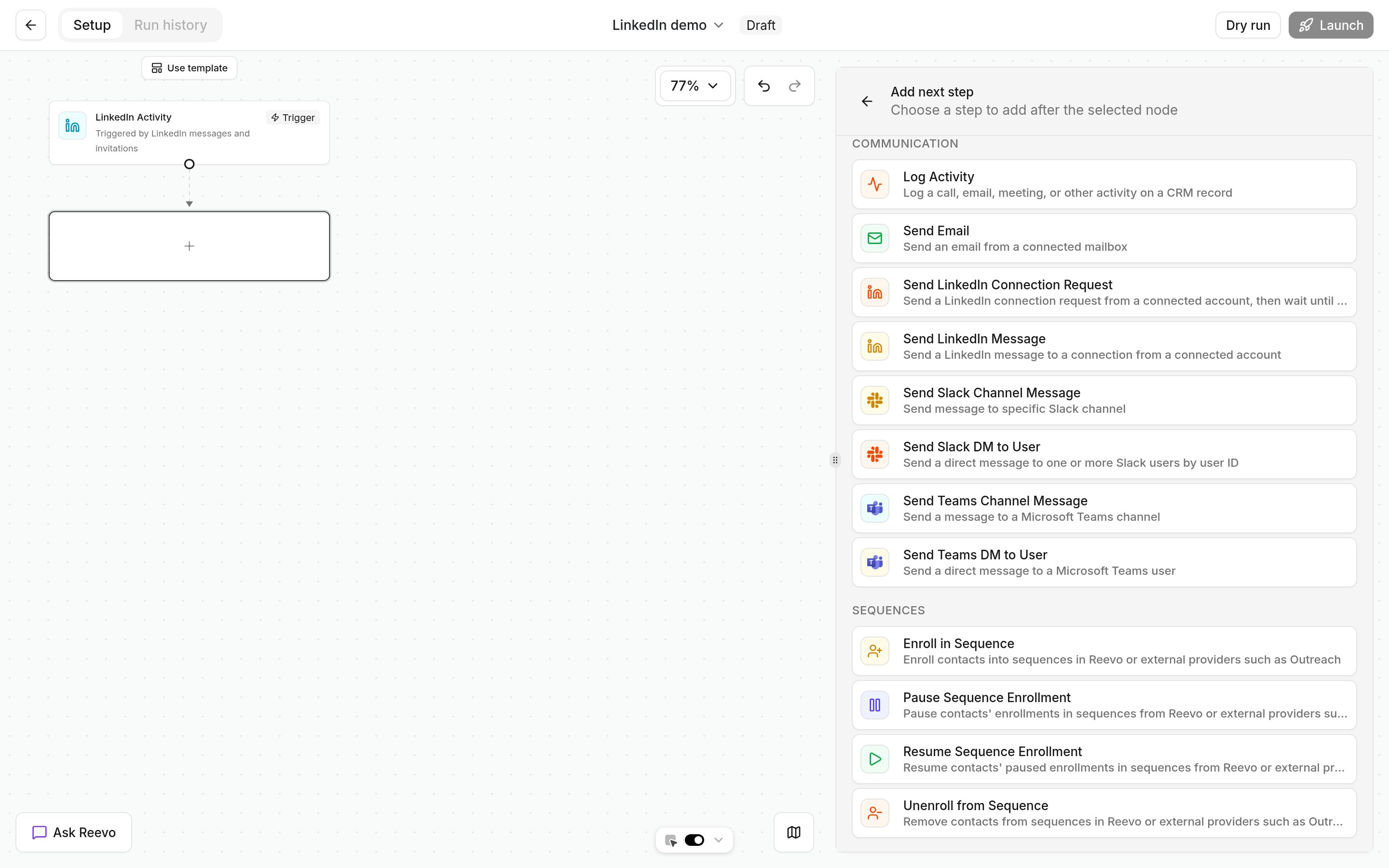
- The LinkedIn Activity trigger starts a workflow on LinkedIn messages and invitations.
- The Sequence Engagement trigger’s LinkedIn connection accepted event fires when someone accepts a connection request sent from a sequence.
- The Send LinkedIn Connection Request and Send LinkedIn Message actions send from your own connected account. Only admins can pick a teammate’s account instead.
Keep LinkedIn data clean
Admins set up duplicate detection and unique fields on the Data integrity page. Everyone else benefits automatically.- Duplicate detection can match contacts and accounts on LinkedIn URL. See Duplicate Detection.
- Unique fields can require each LinkedIn URL to belong to one record. See Unique Fields.
- Enrichment works best with a LinkedIn URL. Add the URL first, then enrich.
- Business card scanning captures the LinkedIn URL from a card. See Scanning Business Cards.
Troubleshooting / FAQs
Is using Reevo with LinkedIn safe for my account?
Is using Reevo with LinkedIn safe for my account?
Do I need an admin to use LinkedIn with Reevo?
Do I need an admin to use LinkedIn with Reevo?
Can my admin connect LinkedIn for me?
Can my admin connect LinkedIn for me?
The extension isn't showing anything
The extension isn't showing anything
Why does my LinkedIn step create a task instead of sending?
Why does my LinkedIn step create a task instead of sending?
What happens if a contact has no LinkedIn URL?
What happens if a contact has no LinkedIn URL?
Why didn't my sequence move on after a LinkedIn task?
Why didn't my sequence move on after a LinkedIn task?
The dialer didn't open LinkedIn when my call connected
The dialer didn't open LinkedIn when my call connected
I don't see the beta features
I don't see the beta features
Can Reevo track LinkedIn ad conversions or pull in LinkedIn Lead Gen Forms?
Can Reevo track LinkedIn ad conversions or pull in LinkedIn Lead Gen Forms?
Does Reevo visit profiles, endorse people, or like posts?
Does Reevo visit profiles, endorse people, or like posts?