What can the Chrome Extension do?
- Create and manage Reevo contact and account records directly from LinkedIn
- Extract and enrich LinkedIn profiles into your Reevo CRM with verified phone numbers and email addresses
- Call LinkedIn contacts instantly in one click. Make crystal-clear voice calls with built-in controls and automatic call history tracking
- View all engagement history, including contact activities, emails, and meetings from a convenient sidebar
- Compose emails with rich formatting, templates, attachments, and integrated calendar links
- Enroll contacts in sequences to automate your outreach campaigns.
Prerequisites
Before using the Chrome Extension, you need:- Chrome browser with the Reevo extension installed
- Active Reevo account with appropriate permissions to create contacts
- LinkedIn account
- Sufficient enrichment credits in your Reevo account for data enrichment features
Step-by-Step Instructions
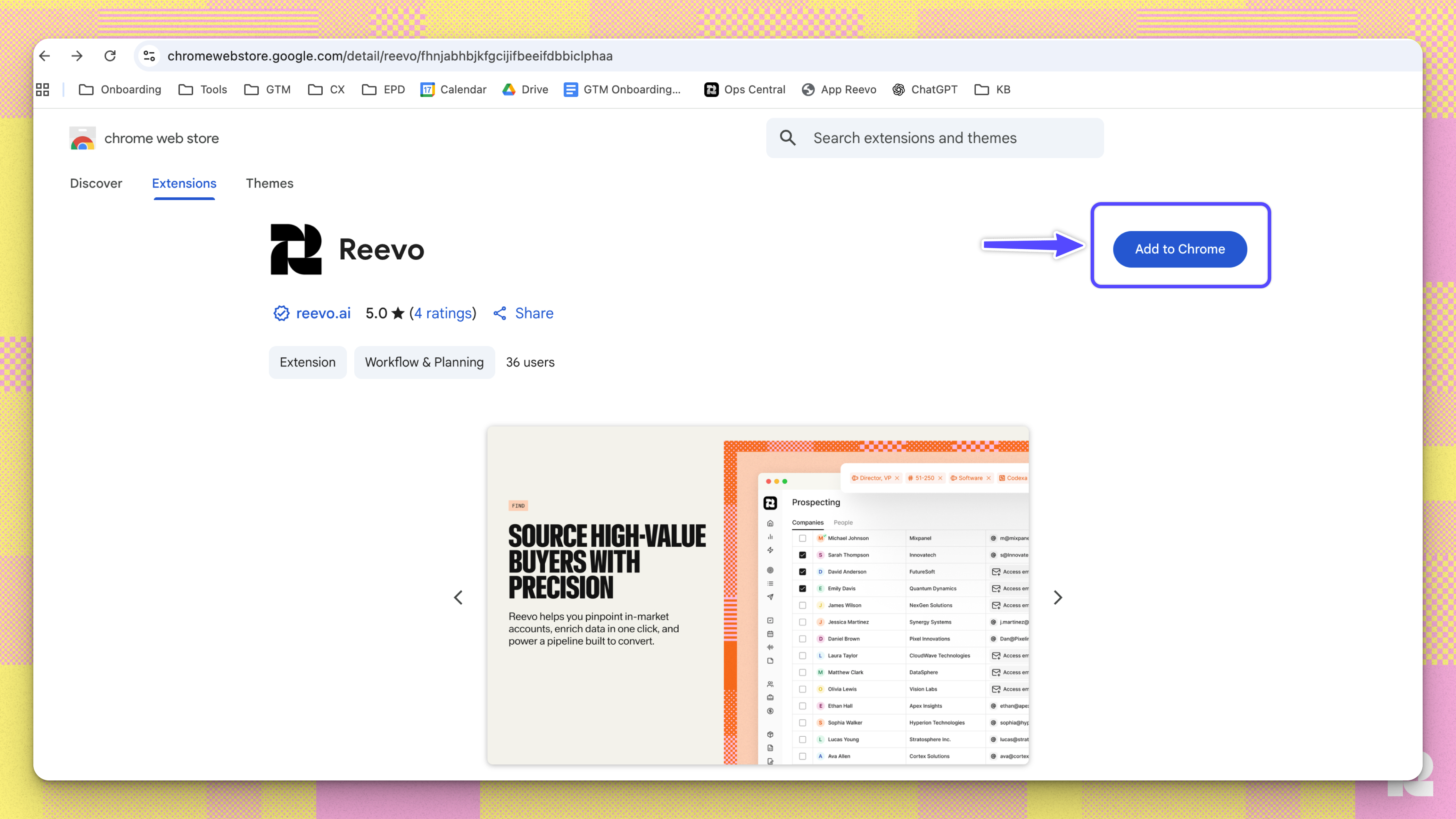
- Navigate to the Reevo Chrome Extension download page
- Click “Add to Chrome” to begin installation
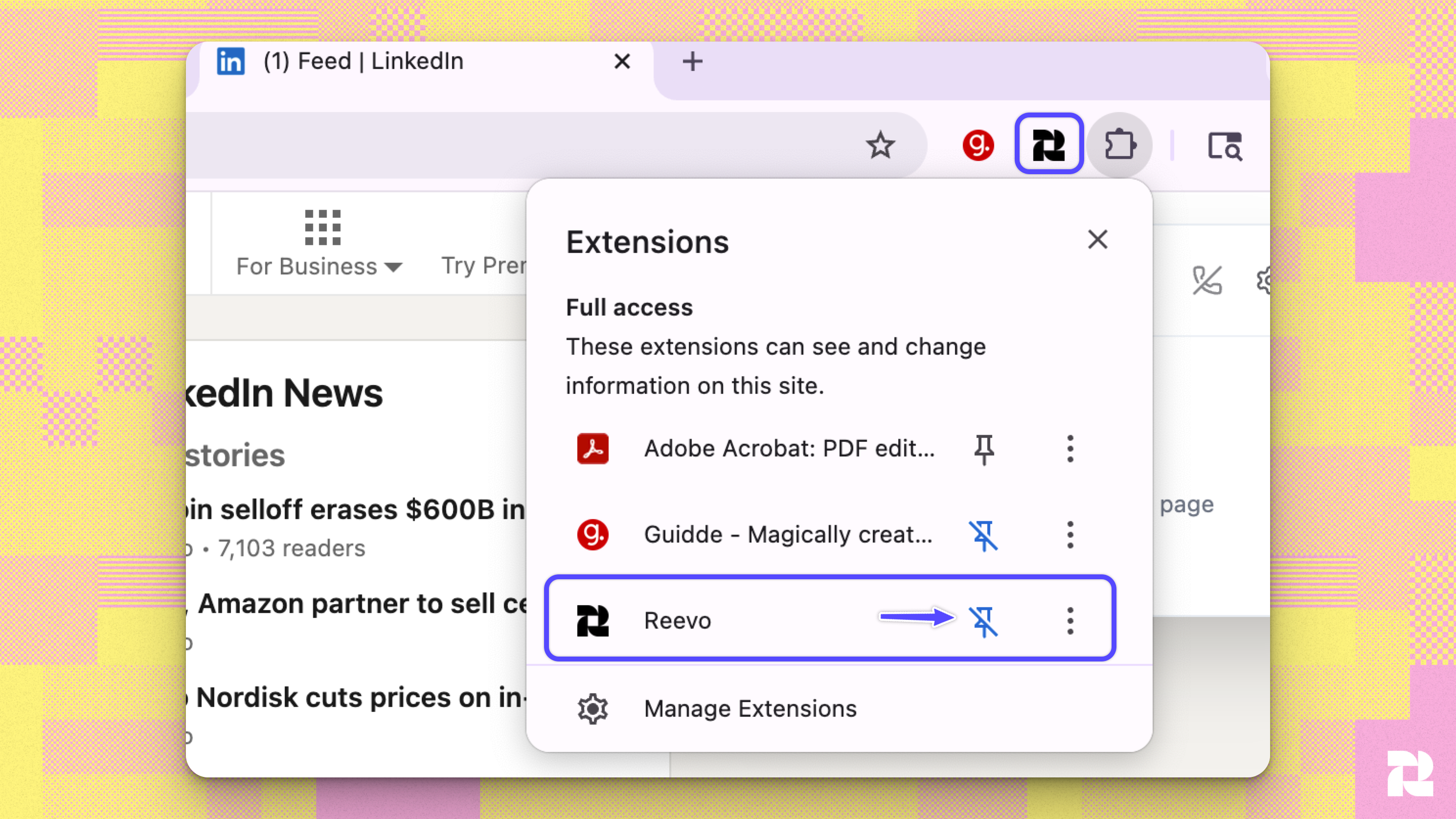
- Once the download is completed, use the PIN function to ensure the extension is easily accessible
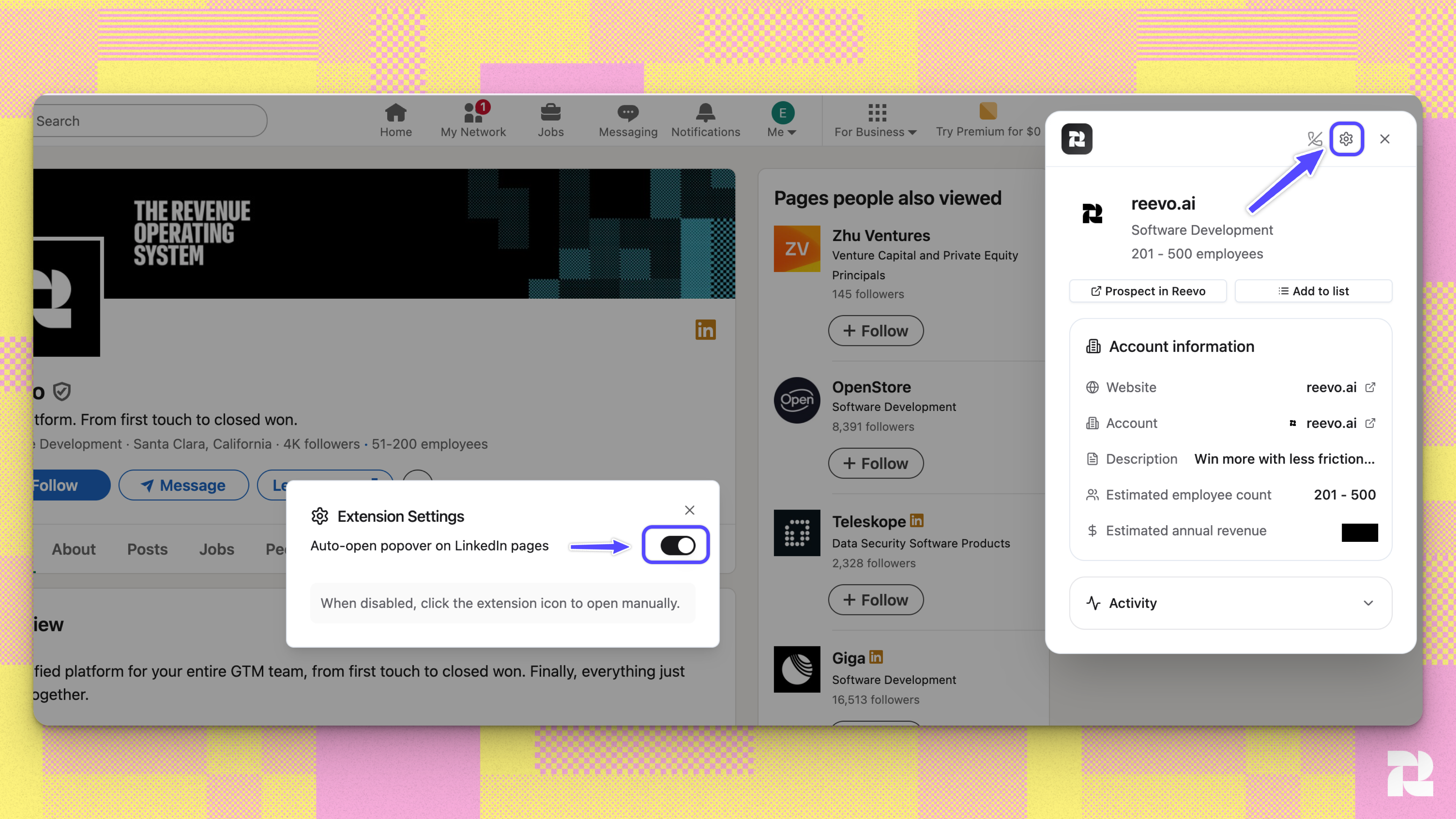
- Allow Auto-Open in the extension settings page to automatically open the extension while navigating on LinkedIn
Creating Contacts from LinkedIn Profiles
- While viewing LinkedIn profiles, the extension identifies contact information
- Select the profiles you want to add to Reevo
- Click the create contacts button
- The extension automatically:
- Checks if the contact already exists by email or LinkedIn URL
- Creates the associated company account if it doesn’t exist
- Links the contact to the correct company
- View confirmation of which contacts were created or already existed
Creating Contacts and Accounts from LinkedIn Sales Navigator
You can add companies and people to Reevo in bulk straight from Sales Navigator search results, saved to a list and ready to enrich or sequence. That workflow has its own article, covering how results load, what the row icons mean, what Select all actually selects, and how lists work: LinkedIn Sales Navigator: Add Accounts and Leads.Searching for Existing Contacts
- Open the extension while on any LinkedIn page
- The extension searches your CRM for matching contacts using multiple criteria:
- Display name
- LinkedIn URL
- Email address
- View matching contacts with their current information from Reevo
Adding Contacts to Lists
- Navigate to the user profile LinkedIn page
- Click the add to list button
- Choose an existing list or create a new one directly from the extension
- Confirm to add the contacts to your selected list
Enrolling Contacts in Sequences
- After extracting or viewing a contact, select the sequence enrollment option
- Choose the sequence you want to enroll them in
- Confirm enrollment to begin automated outreach
- You can manage your sequences in the Reevo App
Making Calls
- Set Up Dialer in Reevo
- View a contact’s profile in the extension
- Click the call button to instantly initiate a call through
- The call is logged automatically in your CRM
Troubleshooting / FAQs
The extension shows an empty state with no leads
The extension shows an empty state with no leads
This typically means the user profile LinkedIn page hasn’t fully loaded yet, or there are no search results on the current page. Refresh the page and wait for LinkedIn to finish loading before opening the extension.
I see an error message when trying to enrich contacts
I see an error message when trying to enrich contacts
Check that your organization has sufficient enrichment credits available. Contact your Reevo administrator to review credit usage and add more if needed.
The extension says a contact already exists, but I want to update their information
The extension says a contact already exists, but I want to update their information
The extension prevents duplicate contact creation by checking email and LinkedIn URL. To update existing contacts, navigate to the contact record in the main Reevo application.
How does the extension handle company information?
How does the extension handle company information?
When creating a contact, the extension automatically creates the associated company account if it doesn’t already exist in your CRM, using the company domain or name from LinkedIn. This ensures contacts are properly linked to their organizations.
Still have questions? Sign in and use AskReevo for instant answers or to raise a support ticket.