Overview
Standard datasets are pre-built data collections that Reevo provides out of the box. They represent your core CRM data and common business metrics, making it easy to build reports and dashboards without starting from scratch. Think of standard datasets as ready-to-use templates that organize your CRM information into meaningful categories. When you need to analyze accounts, track opportunities, or measure team performance, these datasets give you instant access to the right data.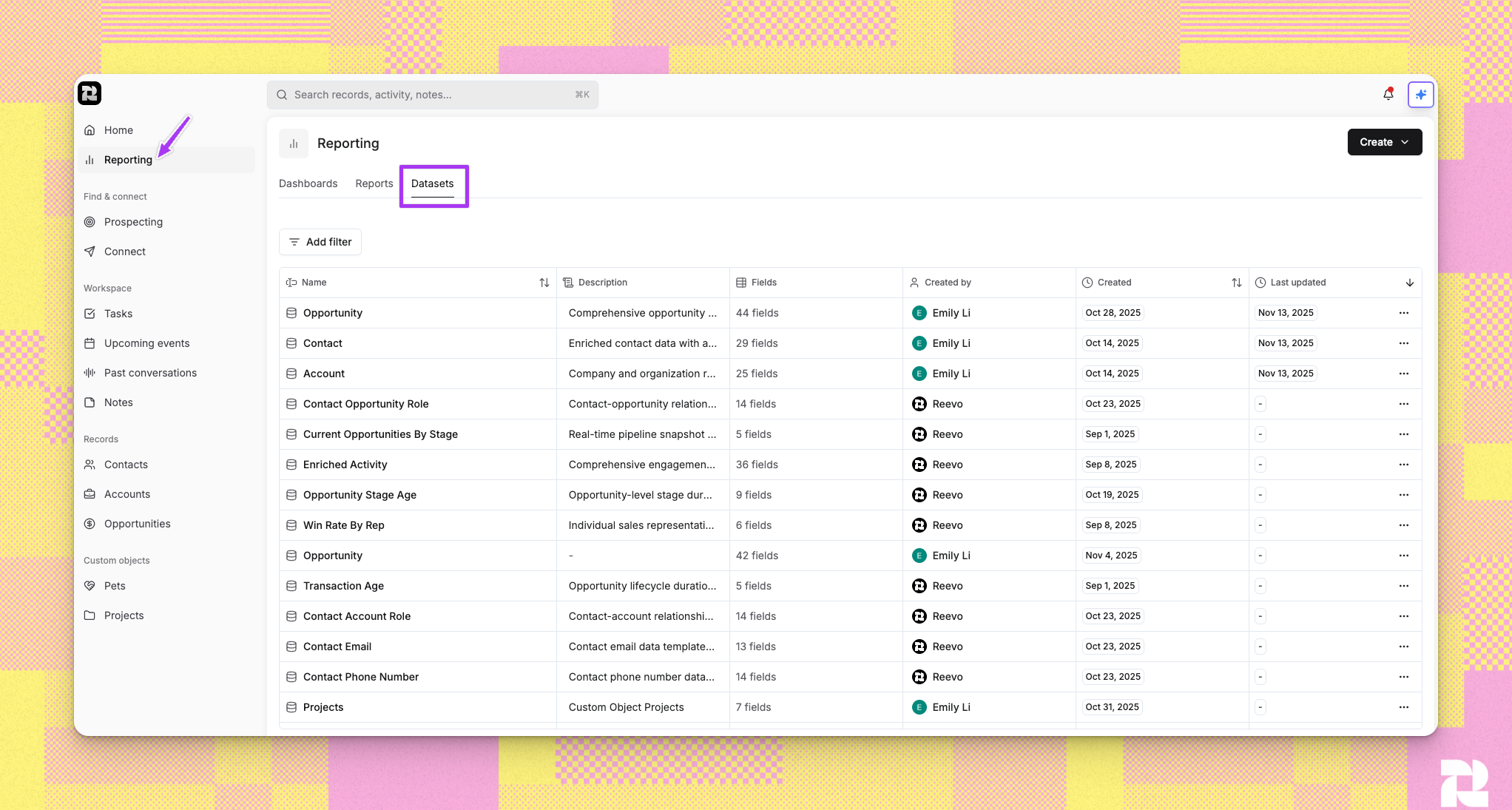
Step-by-Step Instructions
1. Accessing Standard Datasets
- Navigate to Reporting from the main menu
- Click the Datasets tab to view all available datasets
- Standard datasets appear in the list labeled as
created_by= Reevo - Click any dataset name to explore its structure and available fields
2. Using Standard Datasets for Reporting
- When building a new report, you’ll be prompted to select a dataset
- Choose from the dropdown menu showing all standard datasets
- The system displays available fields from your selected dataset
- Use these fields to configure your report’s dimensions and metrics
3. Understanding Dataset Relationships
Standard datasets are connected through relationships that mirror your CRM structure. For example:- Contacts link to Accounts (representing which companies your contacts work for)
- Opportunities link to both Accounts and Contacts (showing which deals involve which companies and people)
- All records link to Users (showing ownership and assignment)
Troubleshooting/FAQ
Can I modify standard datasets?
Can I modify standard datasets?
No, standard datasets are read-only templates maintained by Reevo. However, you can create custom datasets that build upon standard datasets, adding your own joins and calculated fields.
Why don't I see all the standard datasets?
Why don't I see all the standard datasets?
You see datasets based on the features enabled in your Reevo instance.
What's the difference between a standard dataset and a custom dataset?
What's the difference between a standard dataset and a custom dataset?
Standard datasets are pre-built by Reevo and cover common CRM entities and metrics. Custom datasets are ones you create by combining standard datasets, adding joins, and defining custom columns.
Do standard datasets update automatically?
Do standard datasets update automatically?
Yes. Standard datasets update automatically, but the reporting data warehouse has a 30–45-minute delay. New CRM records and field changes, including bulk updates, can take 30–45 minutes to appear in reports and dashboards.
Can I create reports without using standard datasets?
Can I create reports without using standard datasets?
Currently, all custom datasets must start with at least one standard dataset as the foundation. You cannot build reports from completely custom data sources outside of Reevo’s data model.
Still have questions? Sign in and use AskReevo for instant answers or to raise a support ticket.