The Organization section of Settings is only visible to users with an Admin role. If you don’t see it, ask your admin to grant you Admin access or to make the changes on your behalf.
Where to Find It
- Click your name in the lower-left corner of Reevo.
- Select Settings.
- In the left sidebar, scroll past My account to the Organization section and click Organization profile.
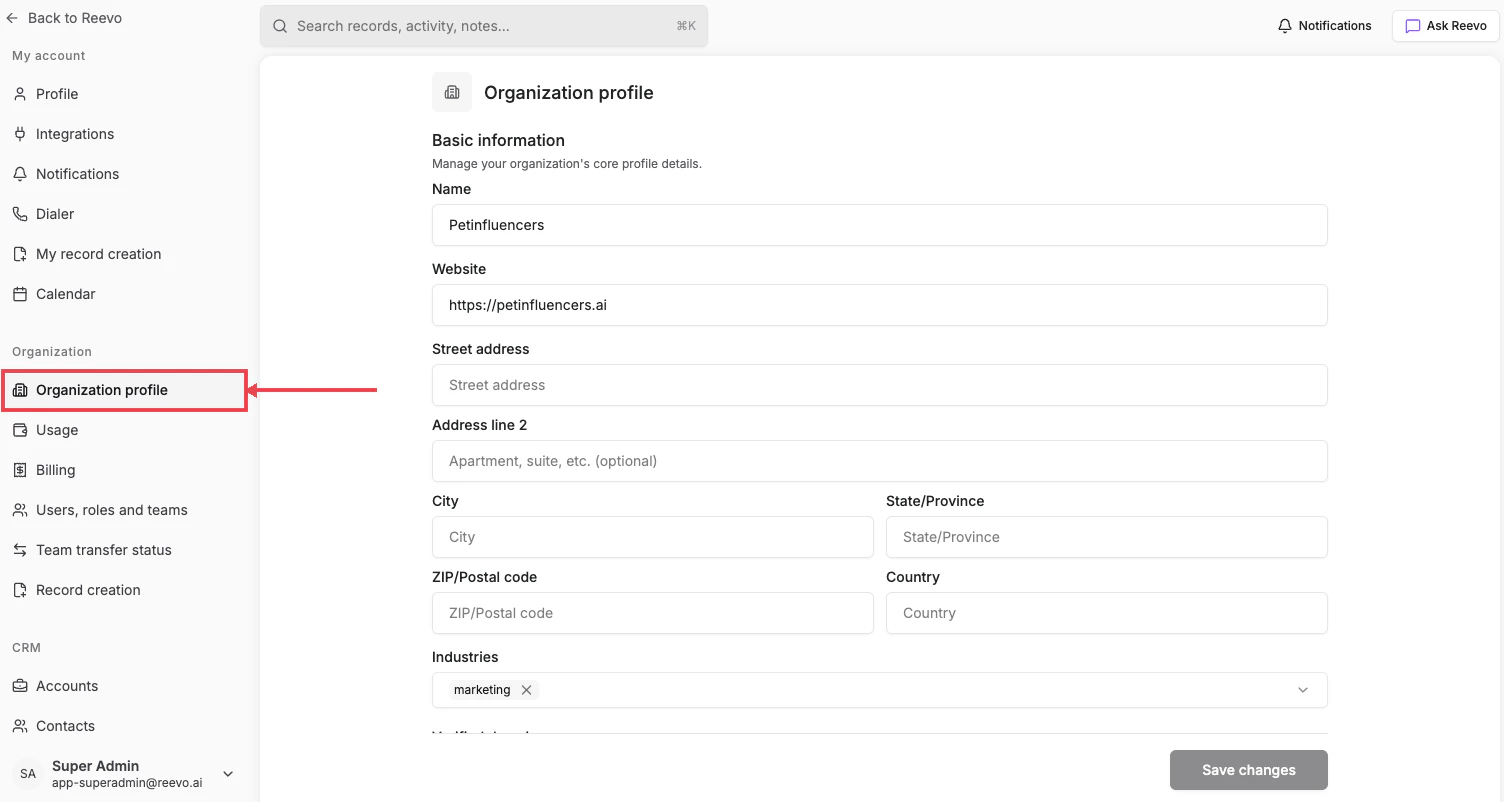
Basic information
- Name: your company’s official name.
- Website: main URL.
- Address: Street address, Address line 2, City, State/Province, ZIP/Postal code, and Country fields.
- Industries: choose one or more relevant industries.
- Verified domains: company-owned email domains used to validate teammates and improve record accuracy.
Questions to understand your business
Provide high-level details about your company and sales process so Reevo can tailor recommendations:- Elevator pitch or value proposition
- Ideal Customer Profile (ICP)
- Common buyer personas or titles
- Sales team size and structure
- Typical sales stages and evaluation process
- Key differentiators and success stories
FAQs
How do verified domains work?
How do verified domains work?
When you verify a domain, any user who signs up with an email address from that domain can automatically join your organization. This streamlines onboarding for team members without requiring individual invitations. Verified domains appear with a green checkmark on the Organization profile page.
What if I don't have any verified domains?
What if I don't have any verified domains?
You’ll see “No verified domains” on the page. You can still invite team members individually through the Users, roles and teams page. To verify a domain, complete the domain setup process which involves DNS configuration.
Can I update my answers to business questions later?
Can I update my answers to business questions later?
Yes, you can return to the Organization profile page at any time to revise your answers. AI-generated content across Reevo will pick up your updated answers the next time it is regenerated.
Is there a character limit for business questions?
Is there a character limit for business questions?
Yes, each question has a maximum character limit. You’ll see a character counter below each field showing your current count and remaining characters.
Still have questions? Sign in and use AskReevo for instant answers or to raise a support ticket.