The Organization section of Settings is only visible to users with an Admin role. If you don’t see it, ask an admin to make the change on your behalf.
Where to find it
- Click your name in the lower-left corner of Reevo.
- Select Settings.
- Under Organization, click Record creation.
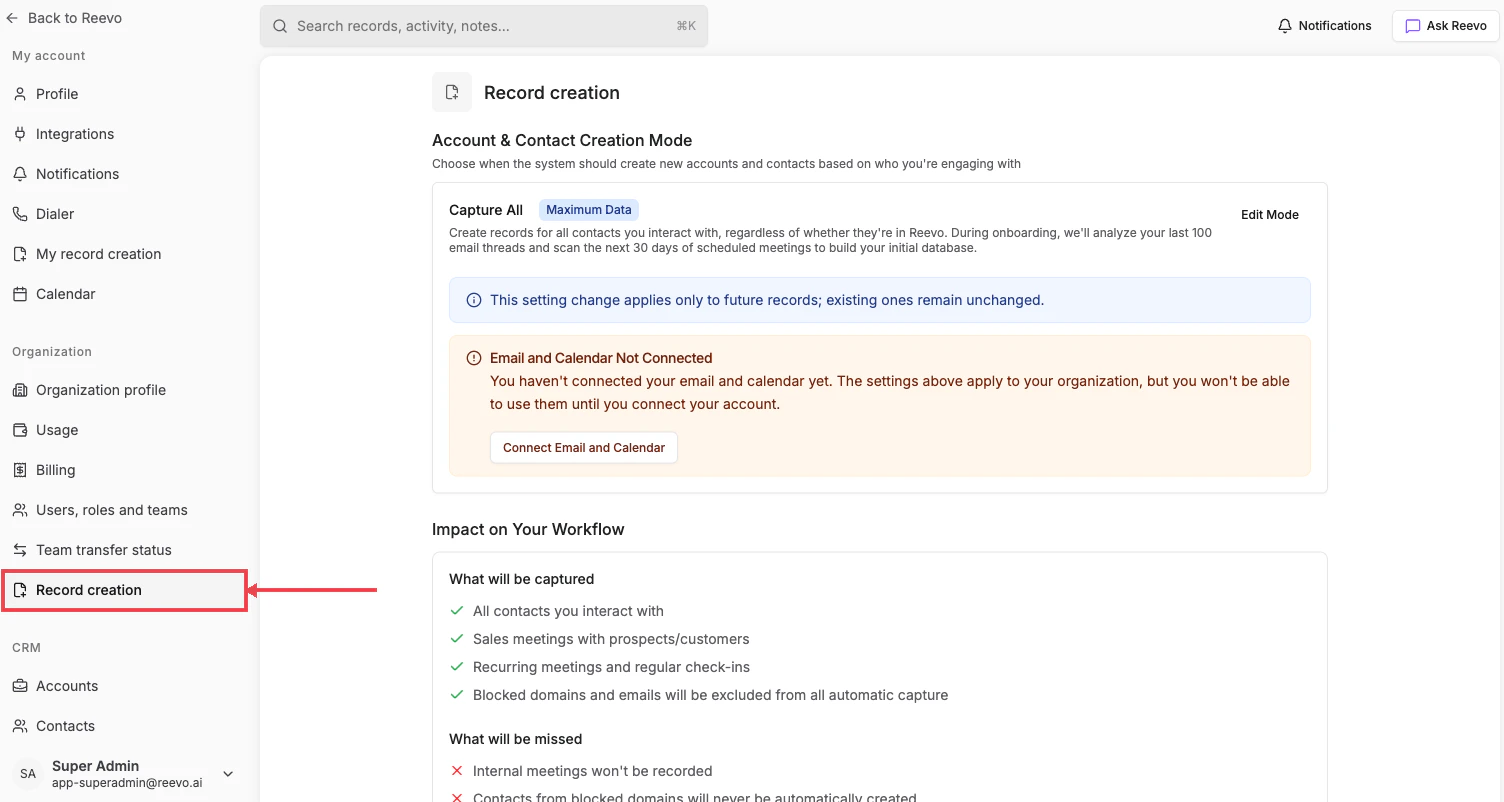
What you can configure
These settings apply only to future records. Records created before a mode change are not affected.
Block domains and emails from automatic record creation
Use Blocked domains & emails to exclude activity from public, generic, personal, or sensitive addresses. You can still create contacts from blocked domains manually. To add an entry:- In Blocked domains & emails, click Add.
- Enter a domain, a wildcard domain, or a specific email address.
- Click Add to save the entry.
Domain matching is exact unless the entry starts with
*.. Reevo treats www.example.com as example.com.
Wildcard entries must use
*. followed by a root domain, such as *.example.com. The form rejects public suffixes such as *.co.uk and wildcard bases that already contain a subdomain, such as *.mail.example.com.
Wildcard matching applies to the activity-capture block list on this page. Blocked domains in Meeting Recording Settings remain exact matches.
Per-user override
Individual users can opt out of automatic record creation for their own activity from My record creation, even when the organization-level setting is enabled.Mode reference
For a full breakdown of each mode and how it interacts with email and calendar sync, see the Record Auto-Creation Settings section in Onboarding to Reevo!.Still have questions? Sign in to Reevo and use AskReevo for instant answers or to raise a support ticket.